 HossTrain
Be there for the other six days.
Gym, yoga studio, martial arts academy — what you teach in class is meant to be lived the other six days. That is the difference between a member who pays for a while and one who builds their life around what you taught them, and it is decided in the hours you never see.
Most school software checks people in and takes their money. This one runs the business and the training floor from one place — your curriculum, your gradings, your remote classes, and an app every member has a reason to open between sessions.
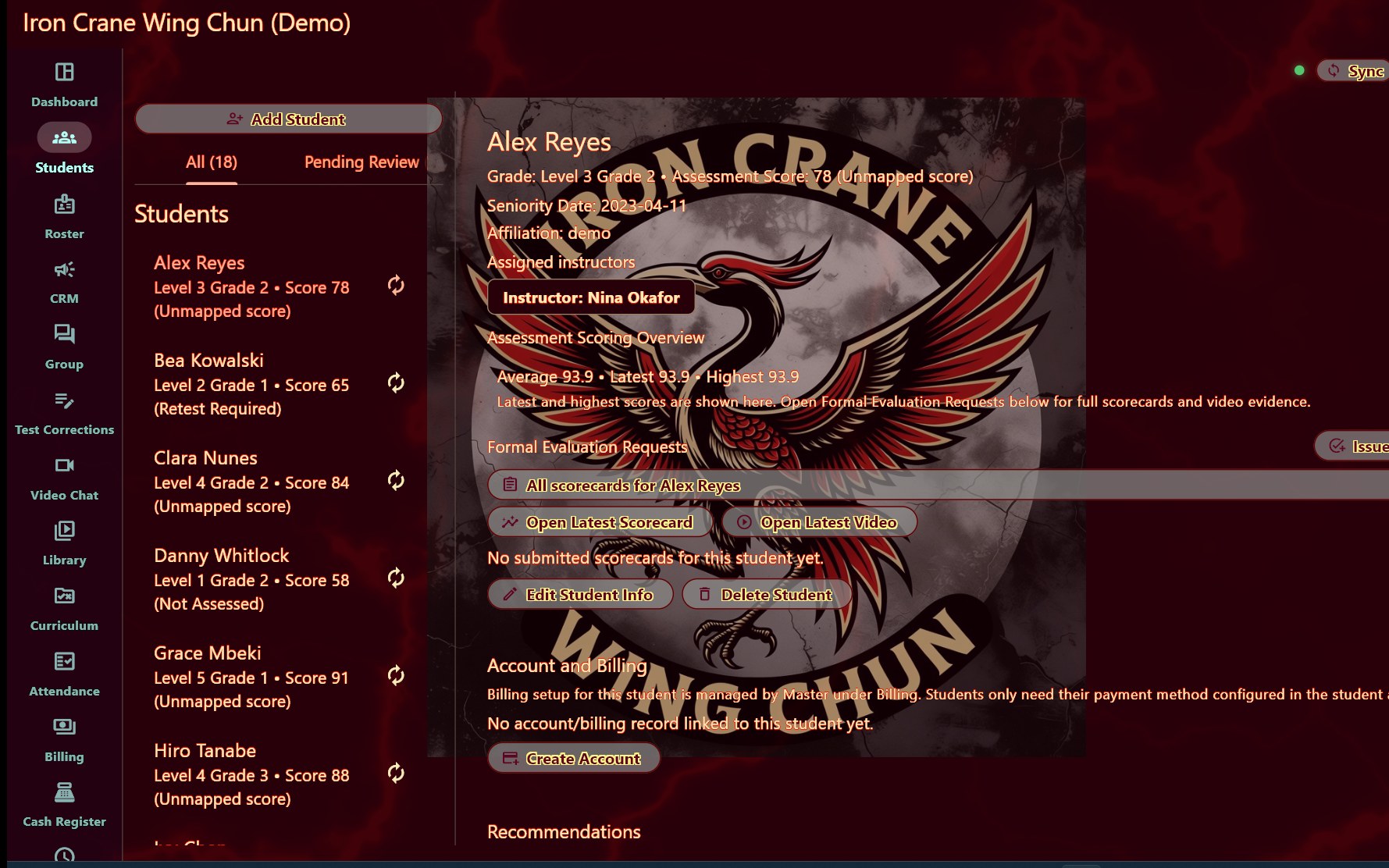
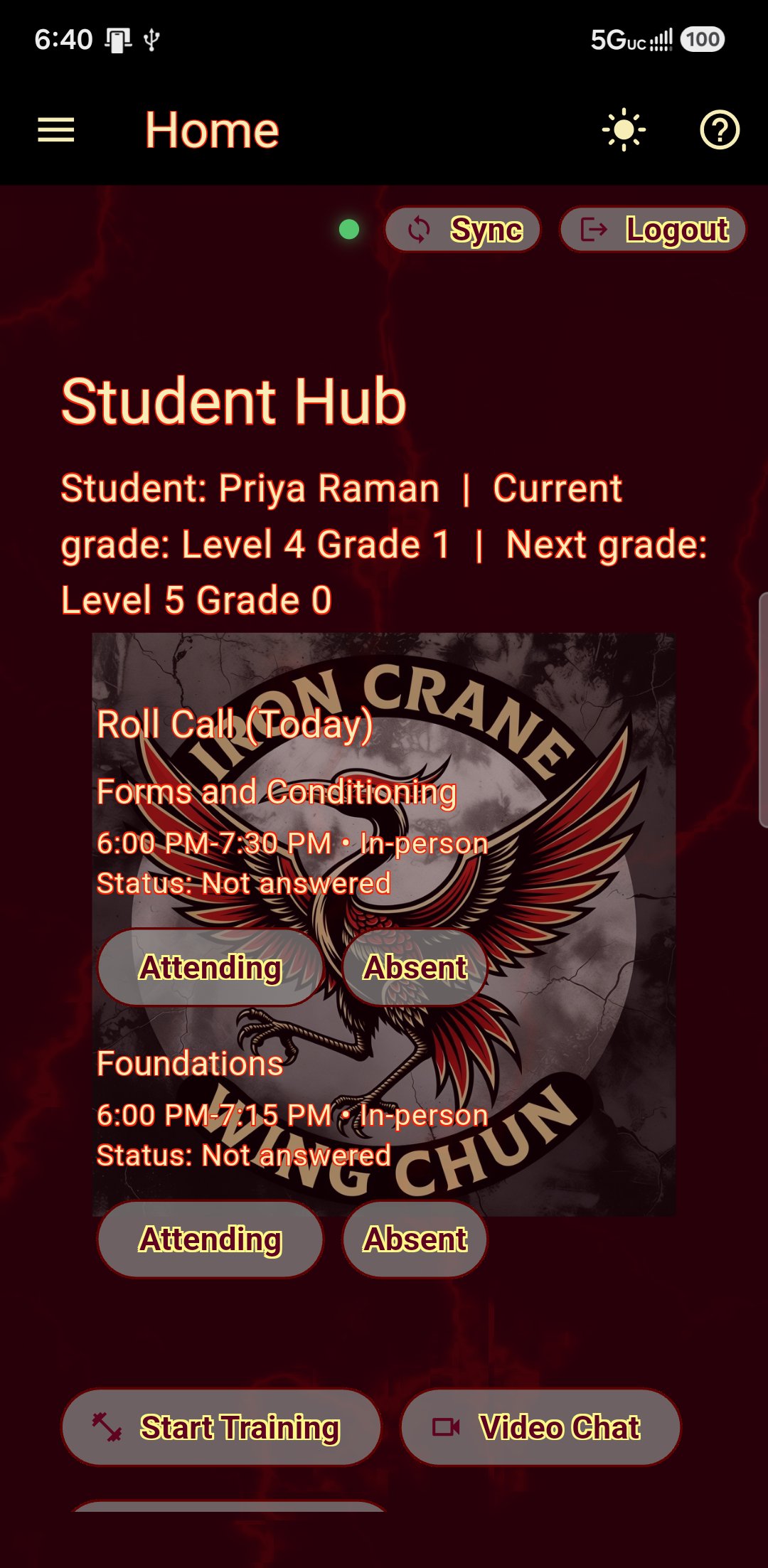
Your curriculum in English. Their app in whatever they read at home.
Eight languages, chosen per student on their own phone. Nothing about how you run the school has to change.

- English, Spanish, French, German, Vietnamese, Chinese, Japanese and Korean
- Each student picks their own, so one class can be reading four languages at once
- What you write is carried across too: corrections, assessment advice, class notices
- Grades, form names and your own terminology stay exactly as you wrote them
A parent who signs the forms in English and reads them properly in Vietnamese is still the person paying the dues.
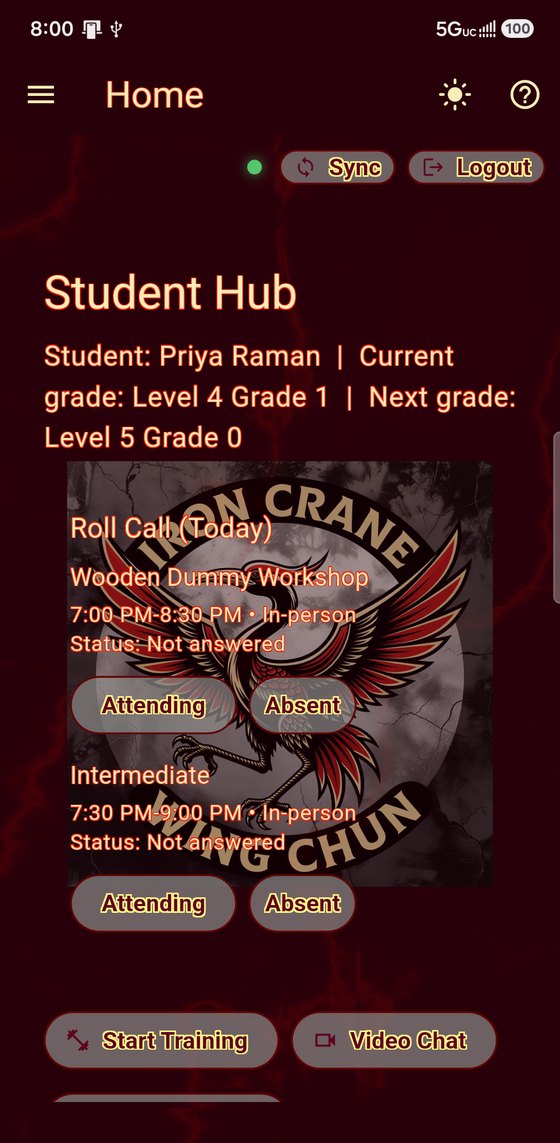
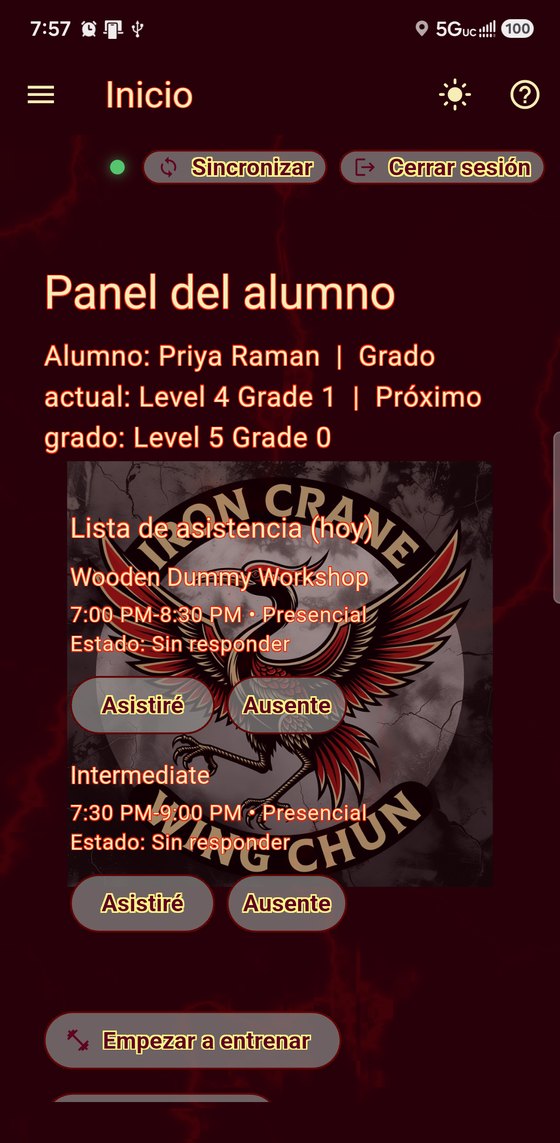
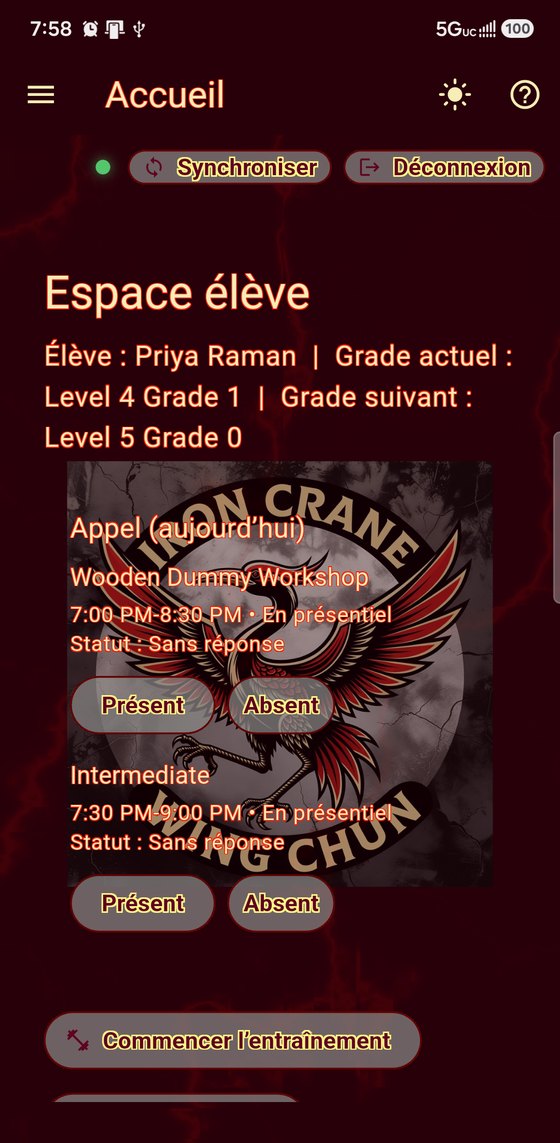
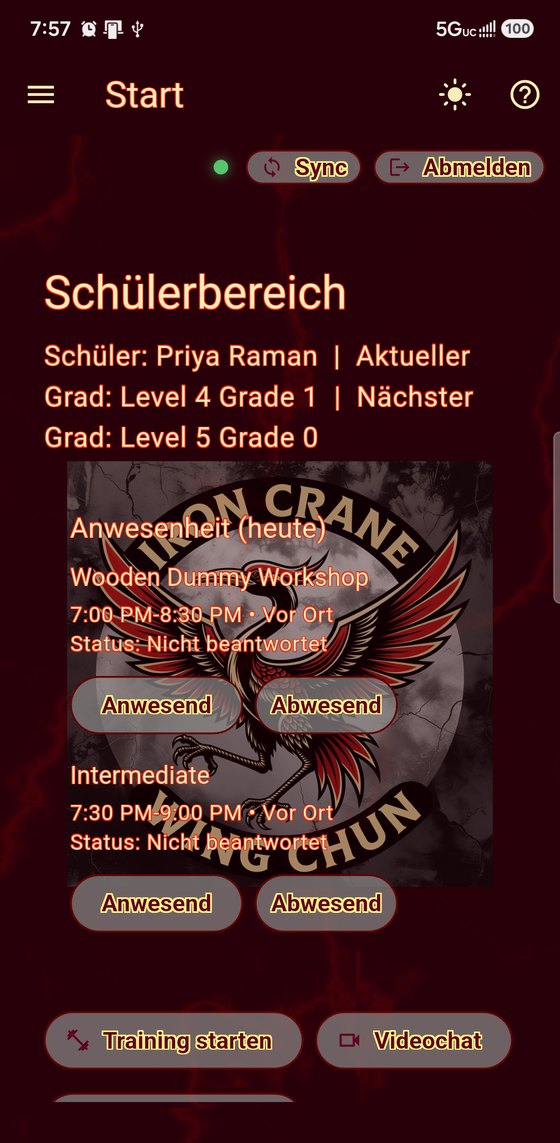
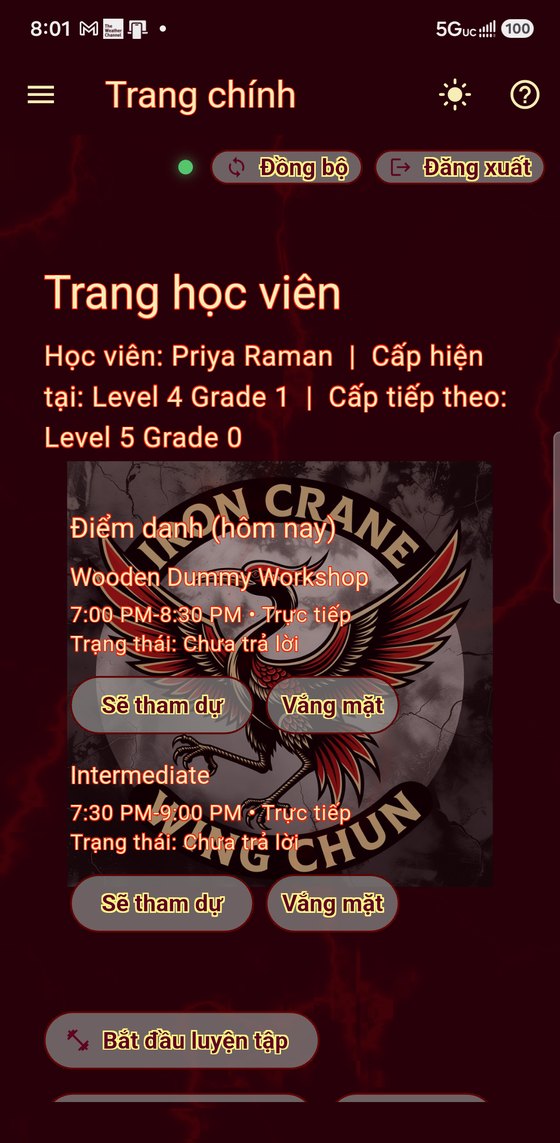
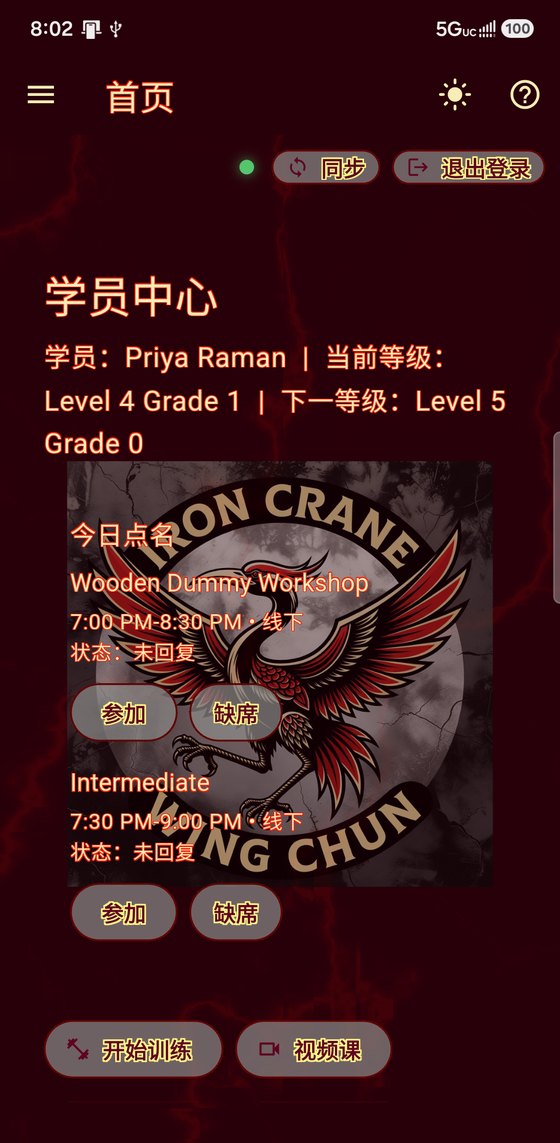
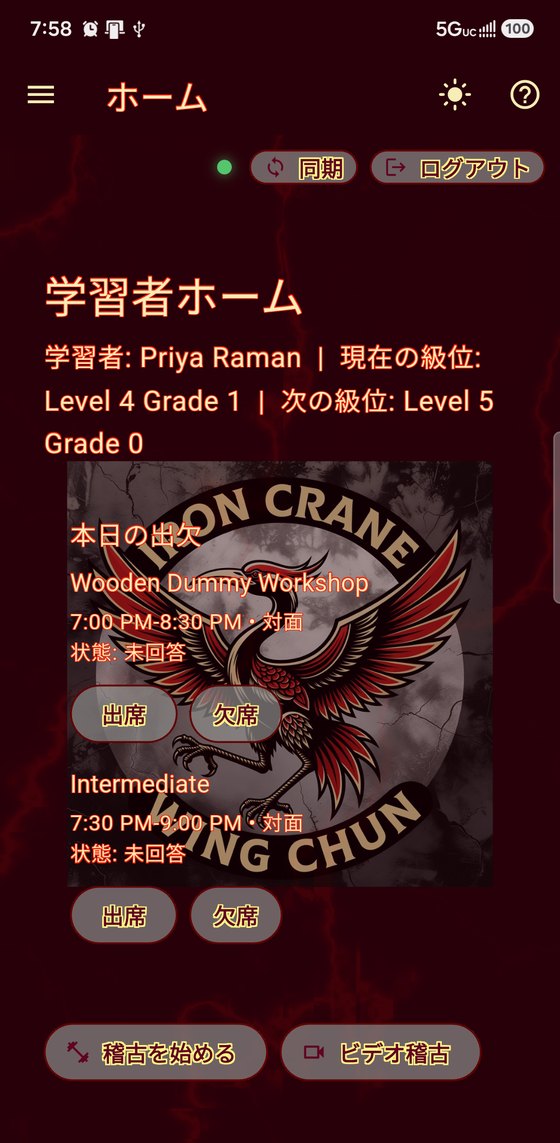
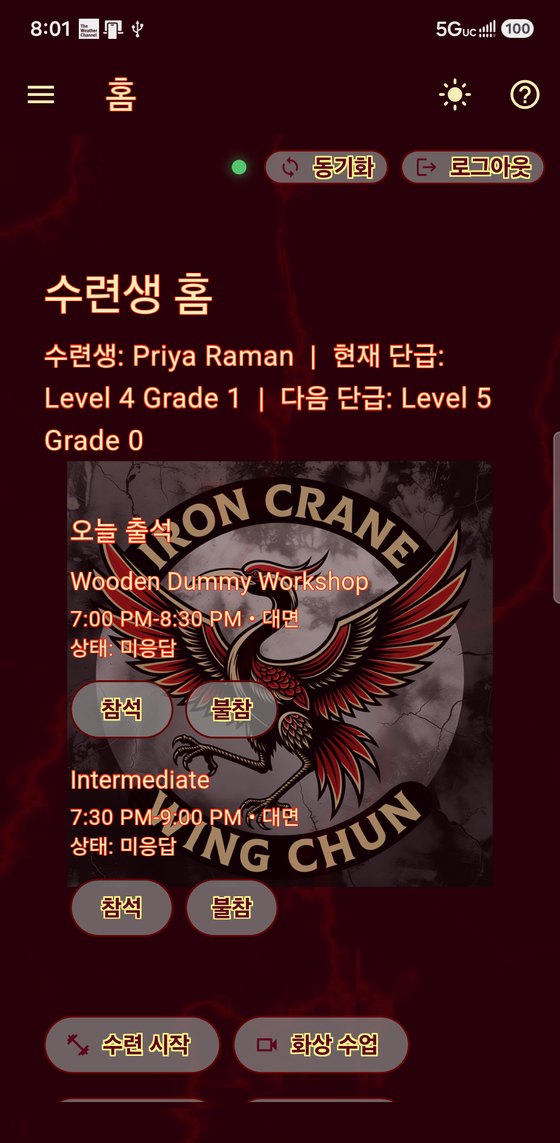
Eight languages, one app. Each person sets their own.
The curriculum stops being a document.
Once it is in, it is not a document any more — it is the record every other part of both apps reads. The grade a student holds decides which demonstrations they can watch, which assessments they may attempt, what their training week is built around and what their next grade asks for. Nobody keeps four lists in step, because there are not four lists.
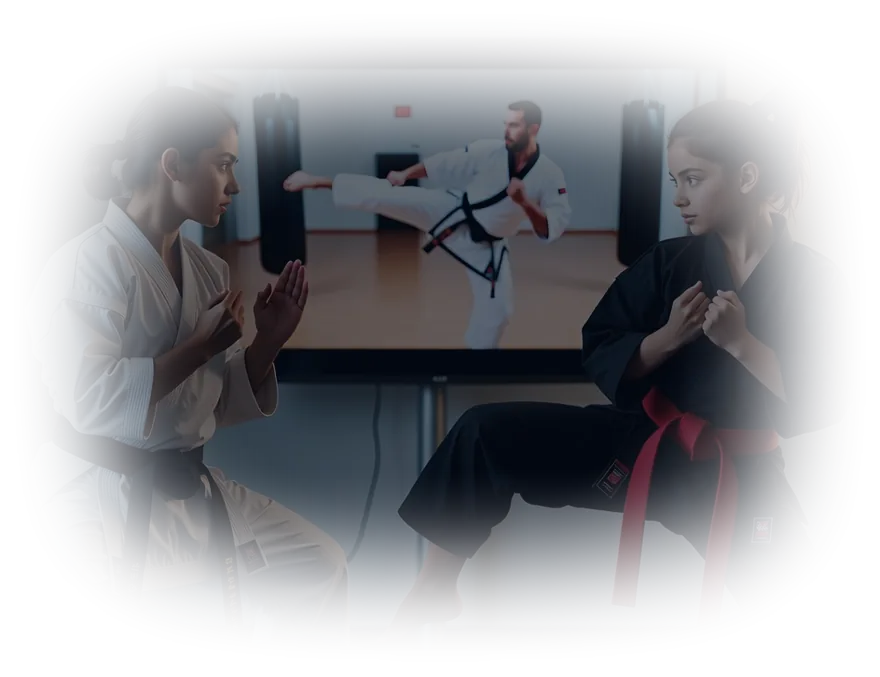
Curriculum and ranks
Levels, grades and requirements in your own vocabulary, and the spine everything else hangs off. Change one requirement and every student on that grade sees it — in their syllabus, in the videos they can open and in the test they are offered next — without anything else being edited to match.
Video library
Your instructors demonstrating your forms, each clip carrying the grade it belongs to, so a student sees the ones their rank has reached and not the ones it has not. These are not a separate set of recordings from the assessment references — they are the same files. The take your master keeps is published here as the demonstration and used as the standard, in one action.
Assessment studio
Your master films the form once. That single take lands in the video library as the demonstration students watch, and the measurements taken from it become the standard they are scored against — the numbers your own master actually produced, not a generic ideal. Nothing is filmed twice and there is no second version to keep in step. Re-record it later and the demonstration updates, while the tolerances and score bands you tuned stay where they are.
Ask a student to show you
A student’s own practice captures are theirs and private. When you need one on the record, request it: they film the form, it comes back as a scorecard belonging to the school rather than to their practice history, and you review it in your own words. Pin the camera angle if the thing you need to see only reads from one side. They can take it in their own time, or you can ask for it live in the middle of a video class and watch it land.
Two cameras at once
A second phone stands in as the side view, paired over your own network rather than through us. Both angles are captured together and merged into one scored take — so the fault a front camera cannot see is the fault it stops missing. Stance depth and an elbow travelling behind the body read from the side or they do not read at all. Any two devices you already own; nothing to buy.
Corrections and advice
What you told a student to fix, on their phone, still there next week — pending and completed, kept as a record. You can also write on a scorecard itself: any card from an assessment you asked for, and any a student has chosen to share with you. In your name, appended rather than edited in, so a card gains a history instead of losing one.
Timetable, register and door kiosk
Your week, and who was actually on the mat. Students mark themselves attending before they arrive — or a tablet at the door lets them check themselves in as they walk past. Both are the same register; nobody stands over it with a clipboard while the class is trying to start.
Competitions
Tournament results kept against a student's record, next to their gradings — because both are the same thing to the student, a record of what they have done.
Your terminology, their language
Your own glossary: the words you use and what they mean, readable by a student in the language they read. Your form names and grades stay in your language, because they are names, not vocabulary to be translated away.
Roles and permissions
Assistants teach and grade. Only a master touches branding, billing or the school record.
Self-assessment, scored against your standard.
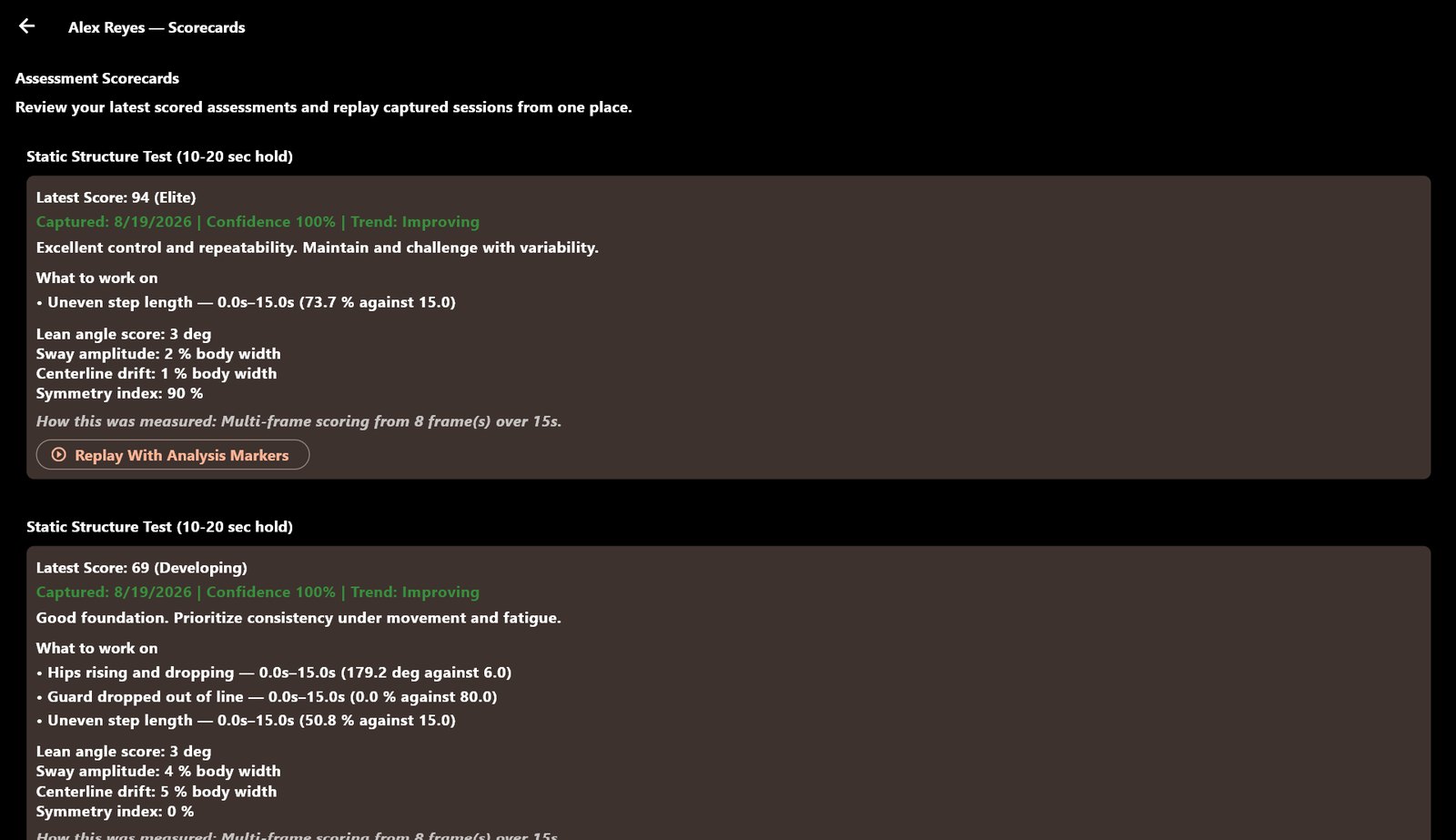
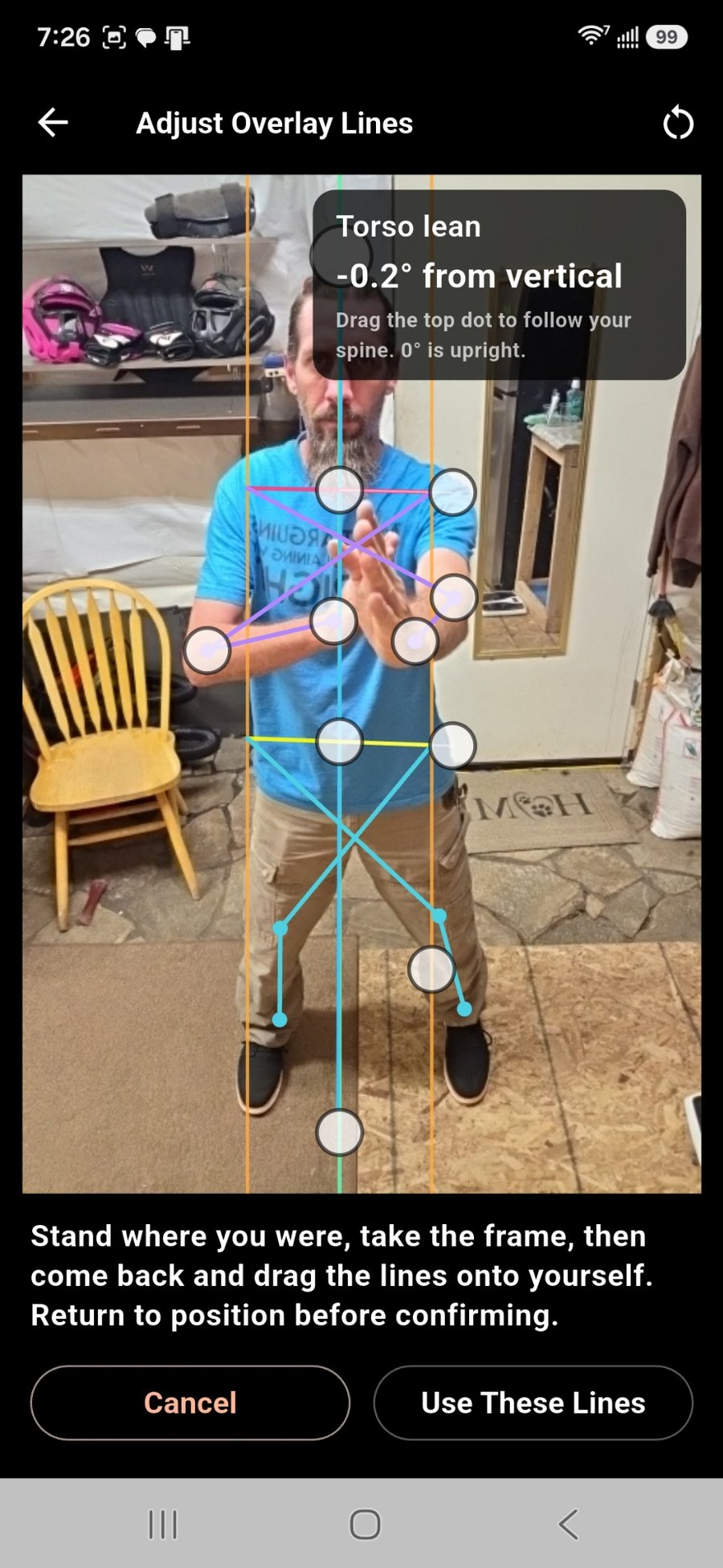
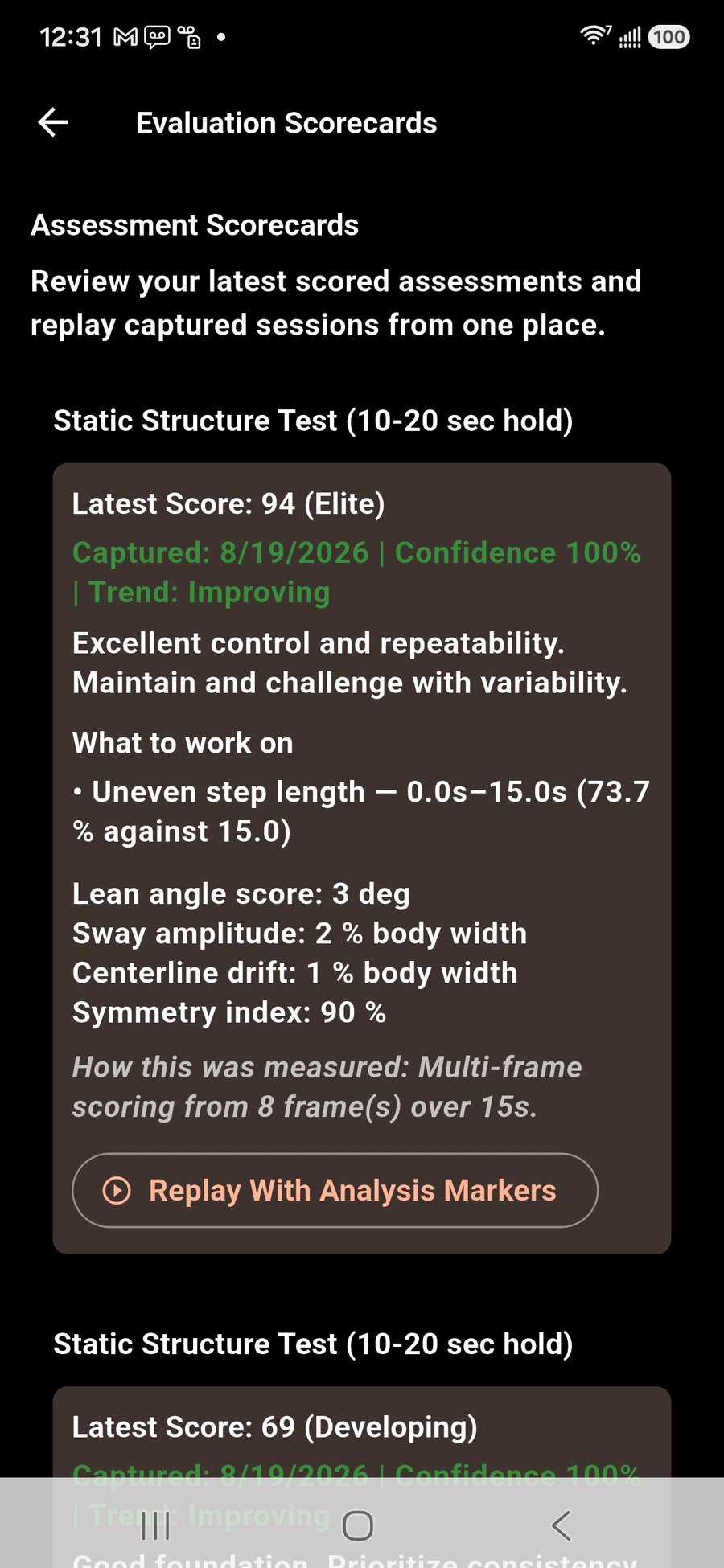
A student films a form on their own phone, guided by an overlay calibrated against their own shoulders and hips, and gets a score against the reference you recorded. Not a grade out of ten — the faults it found, when they happened, and a replay marked at those moments. It is a rehearsal, not a grading; you still decide who passes, but they arrive at the panel having already seen what you would have said.
- Every capture is private until the student shares it — practice is not surveillance
- Your written advice goes on the card with your name on it
- Curves per test, so a month of work reads as a line rather than a number
- Recordings expire after thirty days; the scores stay

What a student actually opens
Two students at the same school, one grade apart, open two different apps. Different demonstrations in the library. Different assessments offered, scored against different reference takes. A different week planned around a different grading date. Their own instructor’s corrections on top of it, and their instructor’s notes on their own scored cards. Nobody built either of those by hand, and nobody keeps them in step: both fall out of one curriculum record and the rank each student holds.
It is also why the training tools further down this page know what they know. The strength week clears the days in front of a grading because the grading date and the syllabus are the same record, and it keeps the heavy work off whatever the class already worked because it can read the register. A gym app cannot do that for your students, and neither can a martial arts app that keeps the syllabus in one place and the training in another.
You teach in English. They read it in their own language, while you are still talking.
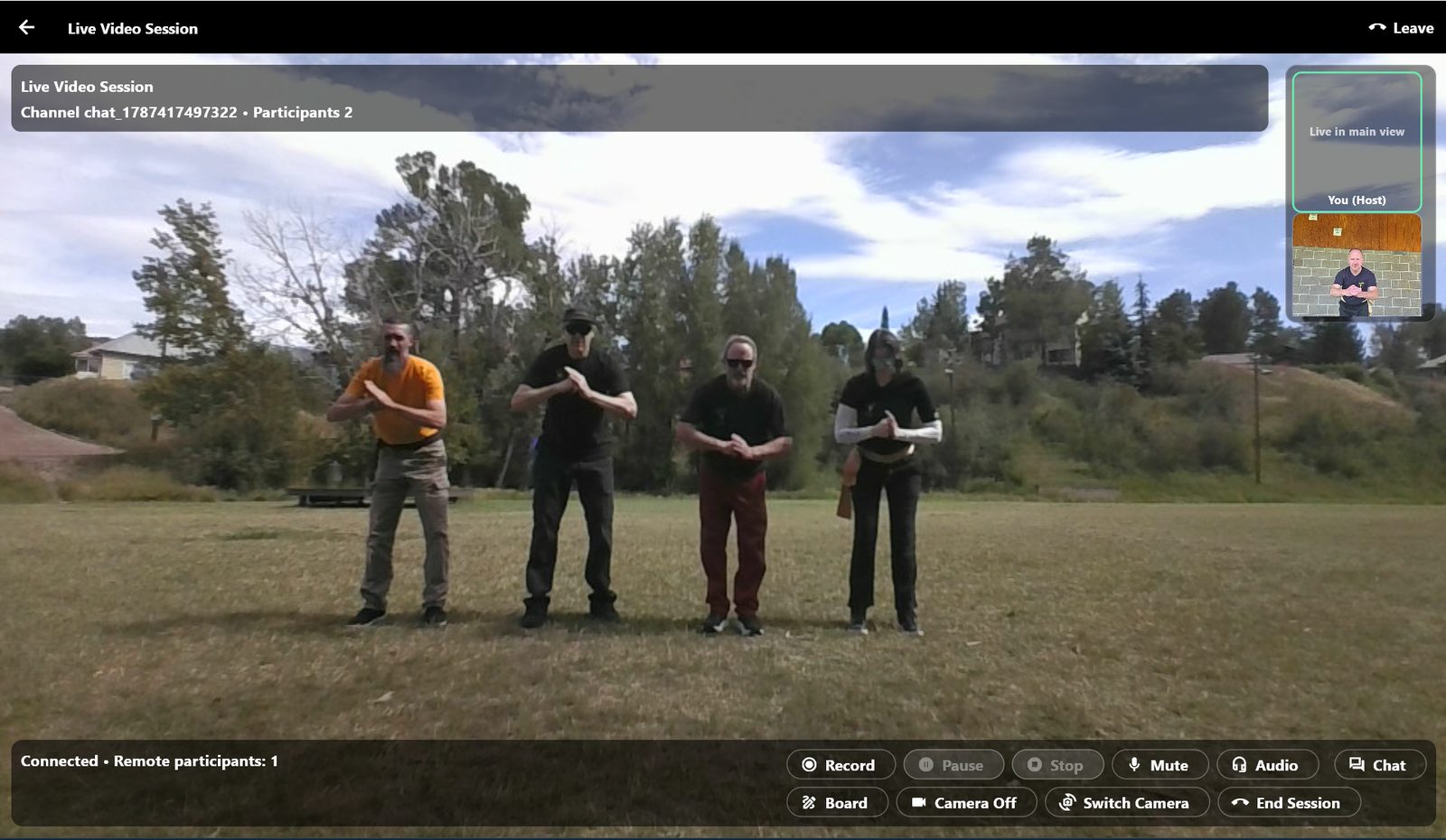
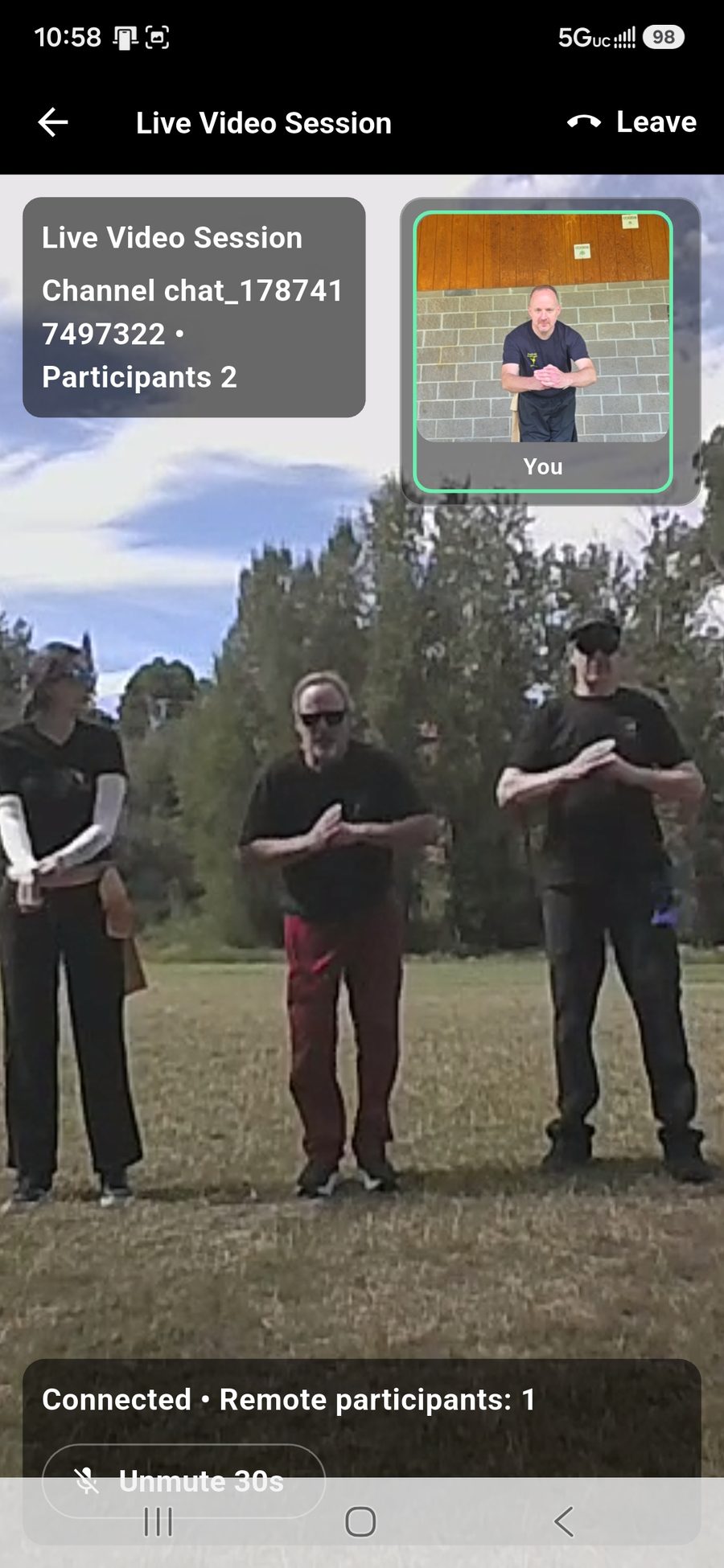
Live captions, in the language each person picked on their own phone. One class can be read in four languages at once, and you taught it once. Not a Zoom link in a group chat.
- Captions appear as you speak, each student reading their own language
- Start a class and it appears on your students' phones
- Students join with cameras off and turn them on in one tap
- Recording is off unless you turn it on, and students are told when it is running
- Upcoming and past sessions, with attendance kept
A student following every correction in a language they only half read is working twice as hard as anybody else in the room. This is the answer to that, and it asks you to teach exactly the way you already teach.
Shared whiteboard
Draw the angle you mean, live, on a board the whole class is looking at.
Class chat
Questions while the class is running, to the room or only to you.
Private lessons
One-to-one sessions that do not appear in anybody else's list.
Push to talk
Twelve open microphones is a room nobody can teach in. Desktop picks its own audio device.
Recording and playback
Watched afterwards by whoever was in the class, and by nobody who was not.
Remote locations
A branch in another town with its own name and logo, and one curriculum between you.
The other hundred and sixty-five hours.
Your students train three hours a week and live the rest of it. This is the part of their week the platform reaches into.
A meal planner with a traditional five-element constitution guide.
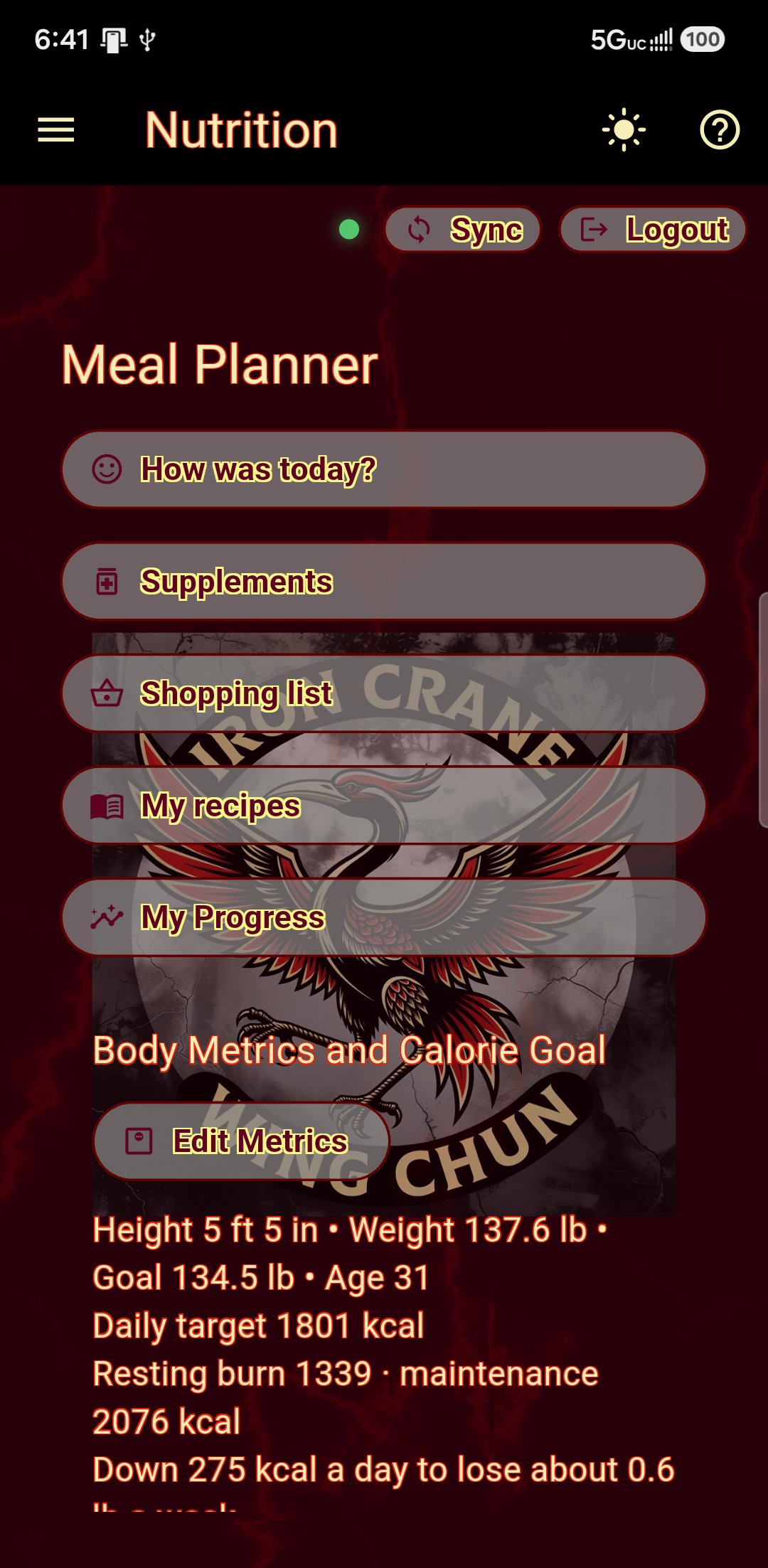
A student answers twenty-one questions about how they run — warm or cold, dry or damp — and gets a constitution. The planner uses it, along with the season, their allergies, the dishes they actually like, and a calorie target calculated from their own body and goal.
- Over seven hundred dishes across sixteen cuisines, with allergens tagged
- Calorie targets from height, weight, age, activity and goal weight
- Metric or US units, switchable, without moving a saved value
- Plan a day, a week or a month; hand-edited days are left alone

And a loop that closes.
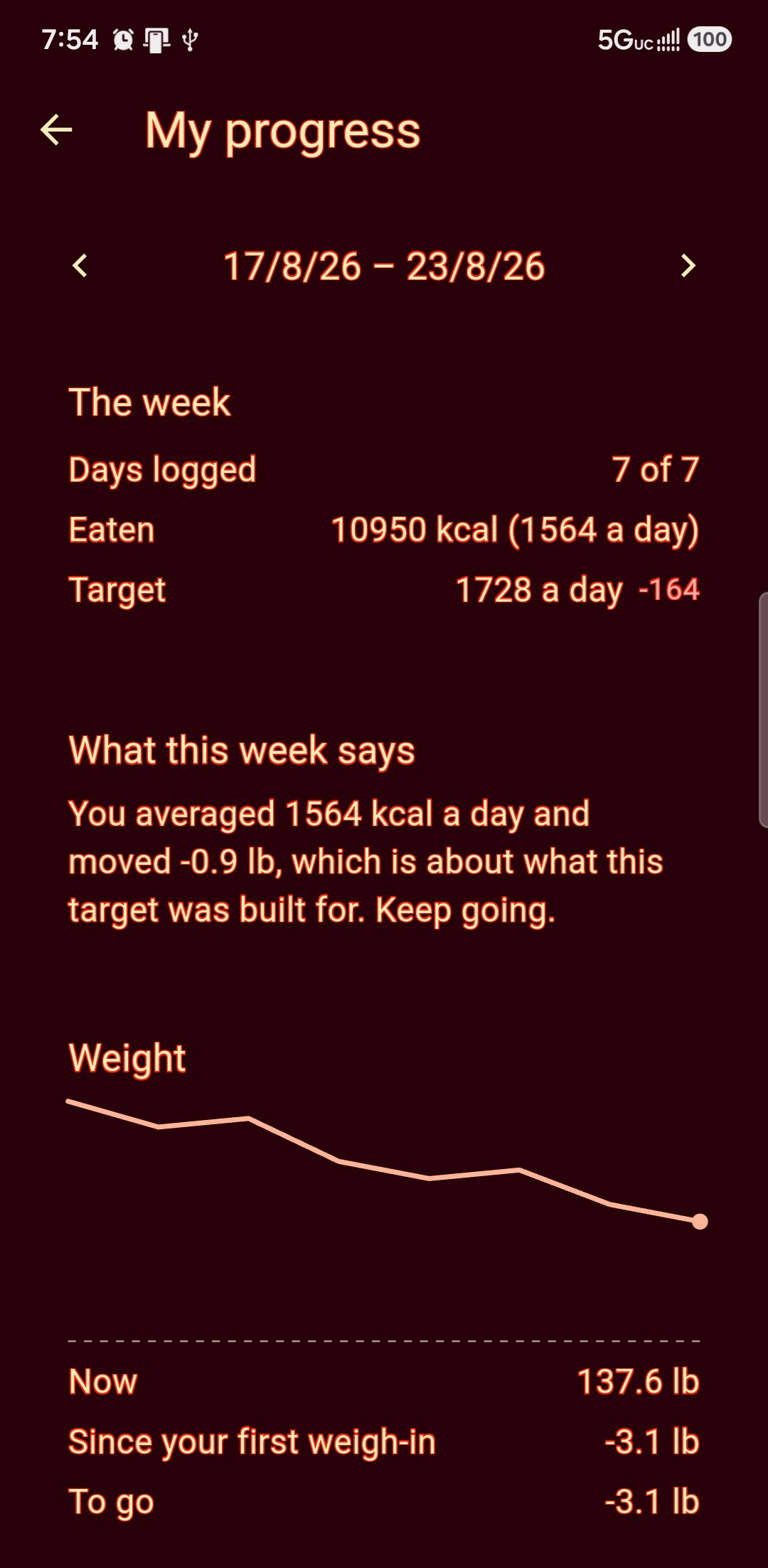
Students log what they actually ate and weigh in once a week. At the end of the week the plan is compared against the intake and the weigh-in, and adjusts — so the advice responds to the person rather than repeating itself.
- Daily intake against the day's target
- Weekly report: planned, eaten, weighed
- Adjustments explained, not silently applied
- Masters can add recommendations; the diary stays the student's
Ten seconds a day, and something to look at in March.
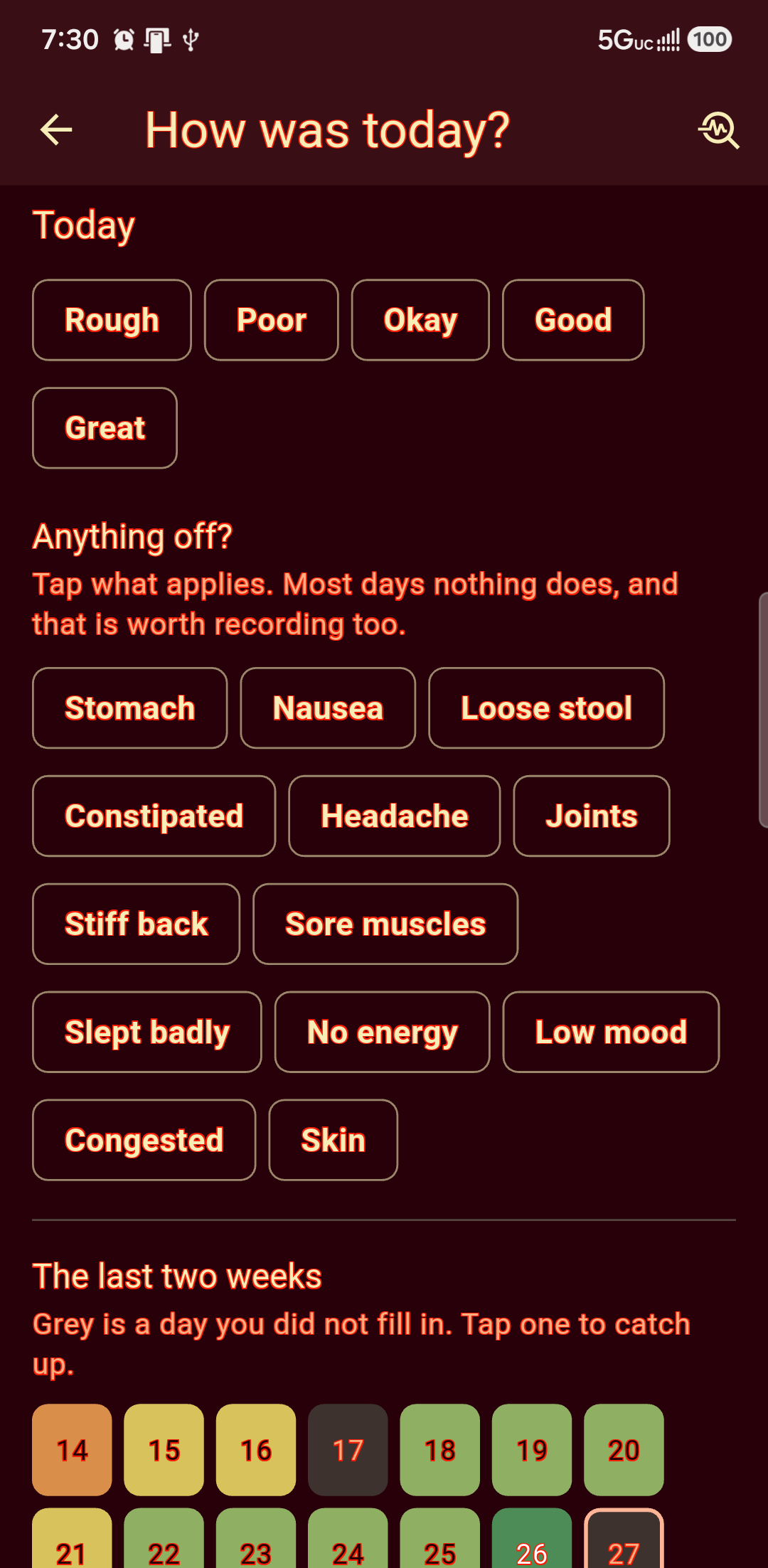
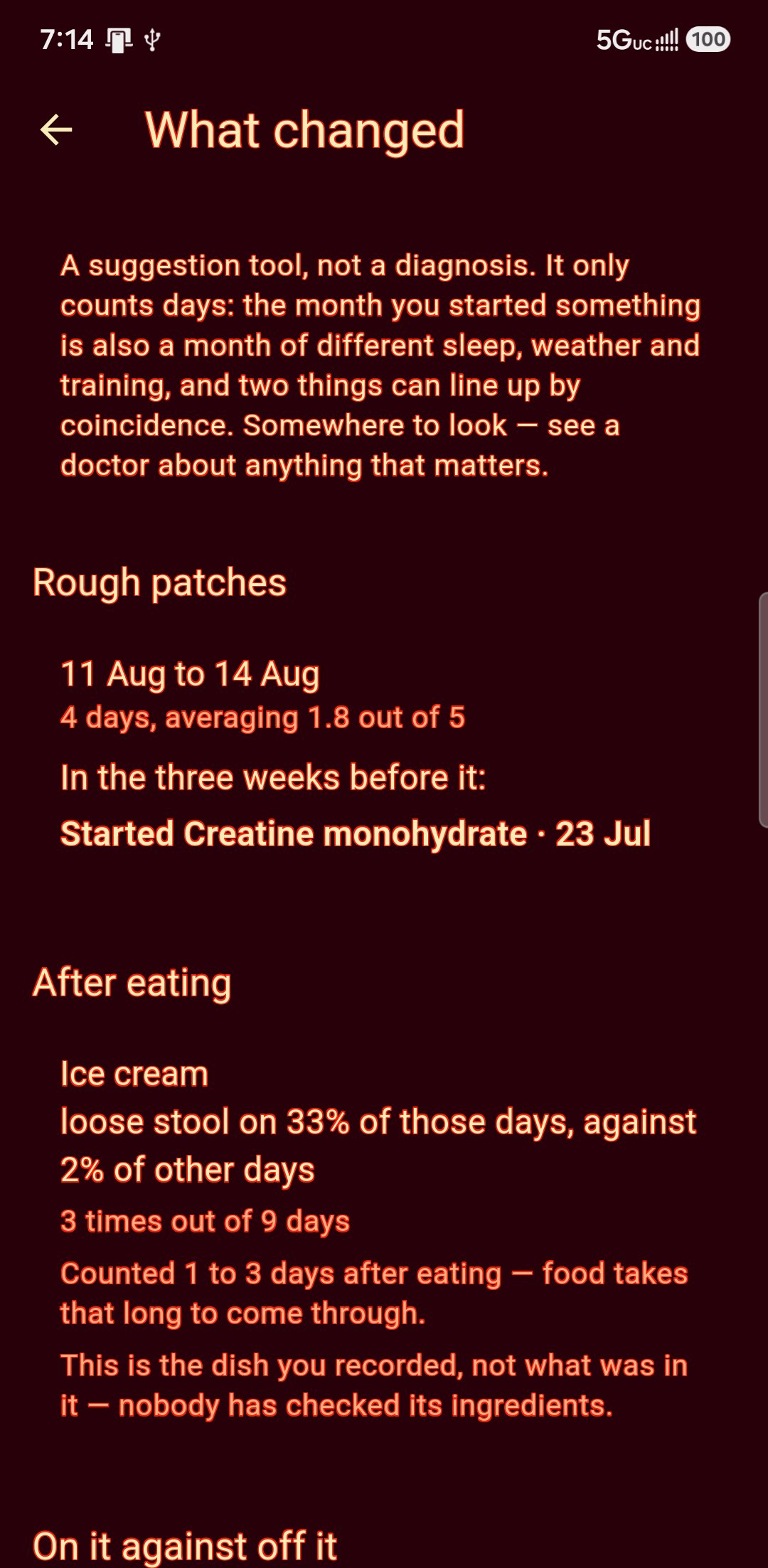
A rating and a tap or two: stomach, headache, slept badly, no energy. Then it counts. A supplement somebody started gets a two weeks either side before it will say anything; a food gets read against the day or two after eating, because that is how long it takes to come through. It is arithmetic and it says so — a place to look, not an answer, and a doctor named for anything that matters.
- What they are taking, how much, how often, and when they started
- A day well below their own usual is asked what was off — their usual, not the middle of the scale
- Two different complaints on two days are two problems, and it will not add them up
- One bad week implicates everything eaten in it, so it wants separate occasions
A training log that knows there is a class on Thursday.
Every gym app in the world will record a set of five. None of them knows that the person doing it has grading in two weeks, or that squatting tonight is a poor idea because class is tomorrow. This one was built the other way round.
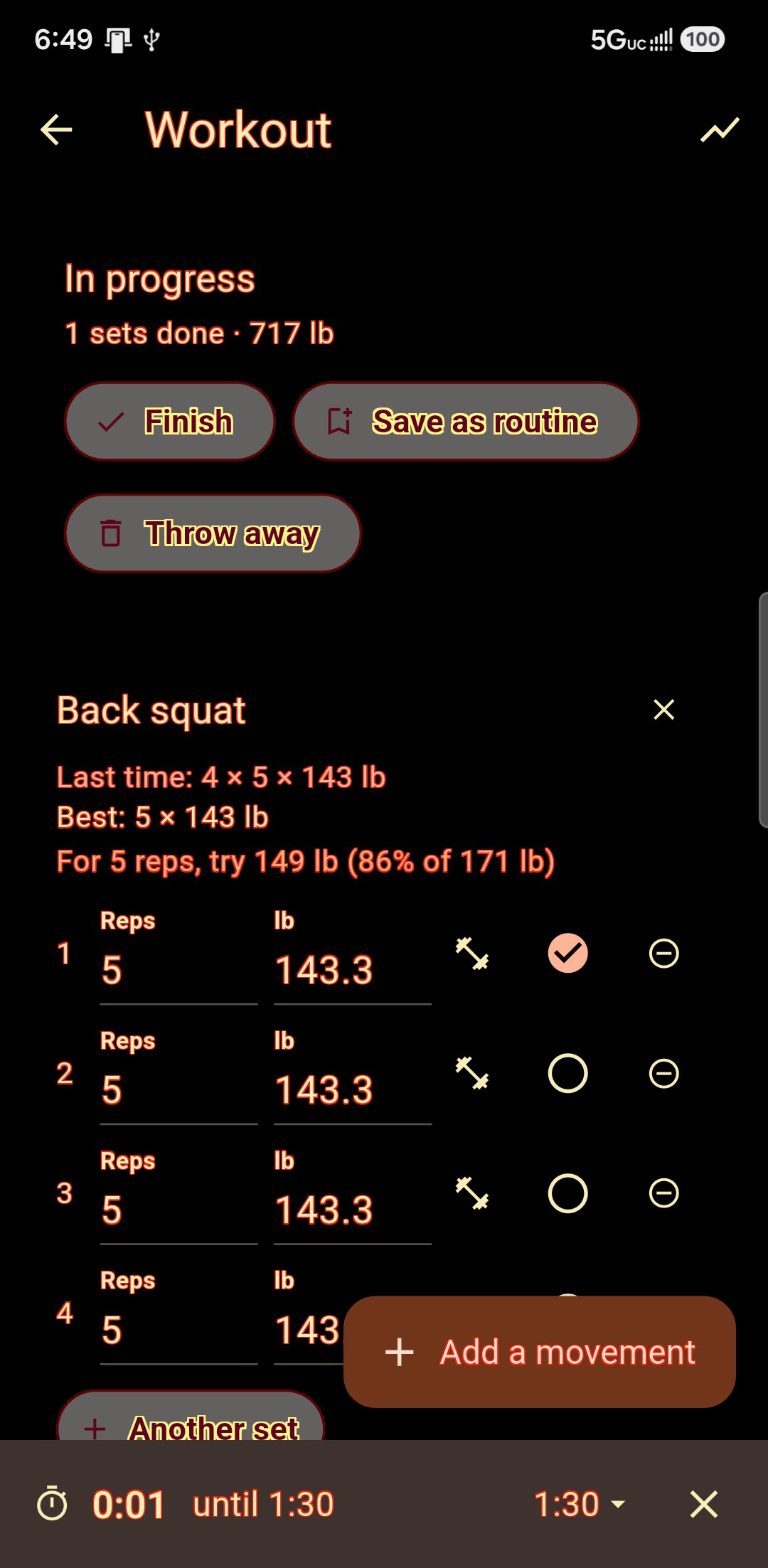
What you did last time, under what you are about to do.
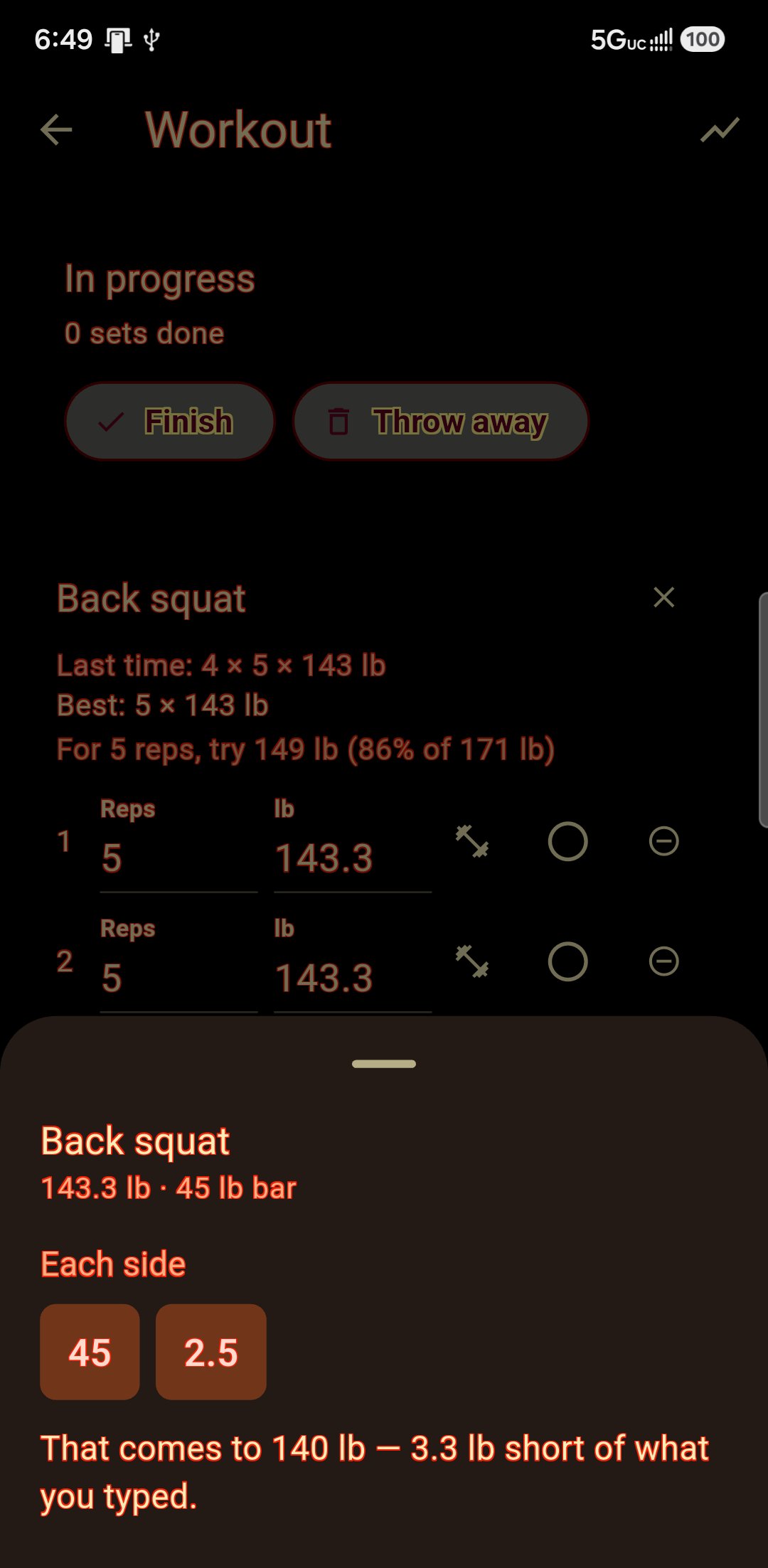
That one line is the whole reason anybody keeps a log. Everything else on the screen is in service of it: the rest timer starts itself when you tick a set, the plate maths works in the units of the plates in your room, and a session you liked can be kept by name and done again.
- Rest timer that starts on the tick, not on a button you forget
- Plate maths in pounds or kilos — 45 lb plates, not converted ones
- Weights suggested from your one-rep max, with the percentage shown
- Your own routines, plus starters for anybody with a blank page
Progress, without the flattery.
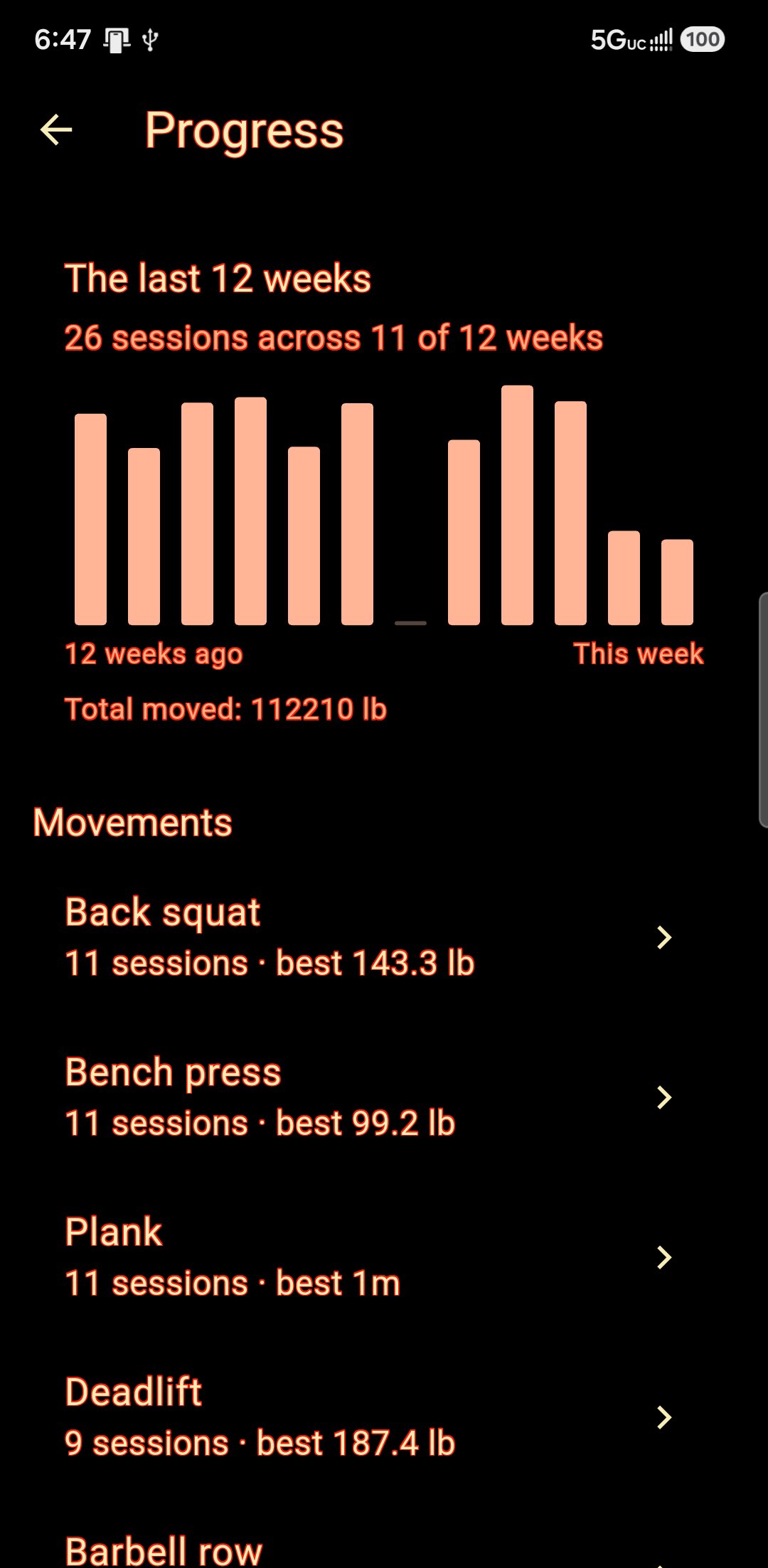
Twelve weeks of work as bars, then every movement you have trained, then one movement session by session with a line through it. An unfinished session is not history. A week nobody trained is drawn as the zero it was. One session gets no line at all, because one session is not a direction.
- Plain pull-ups charted in reps, not in an empty kilogram box
- Heaviest set and estimated max kept apart, and the estimate says so
- Assisted work counted as assisted — less help is a heavier set
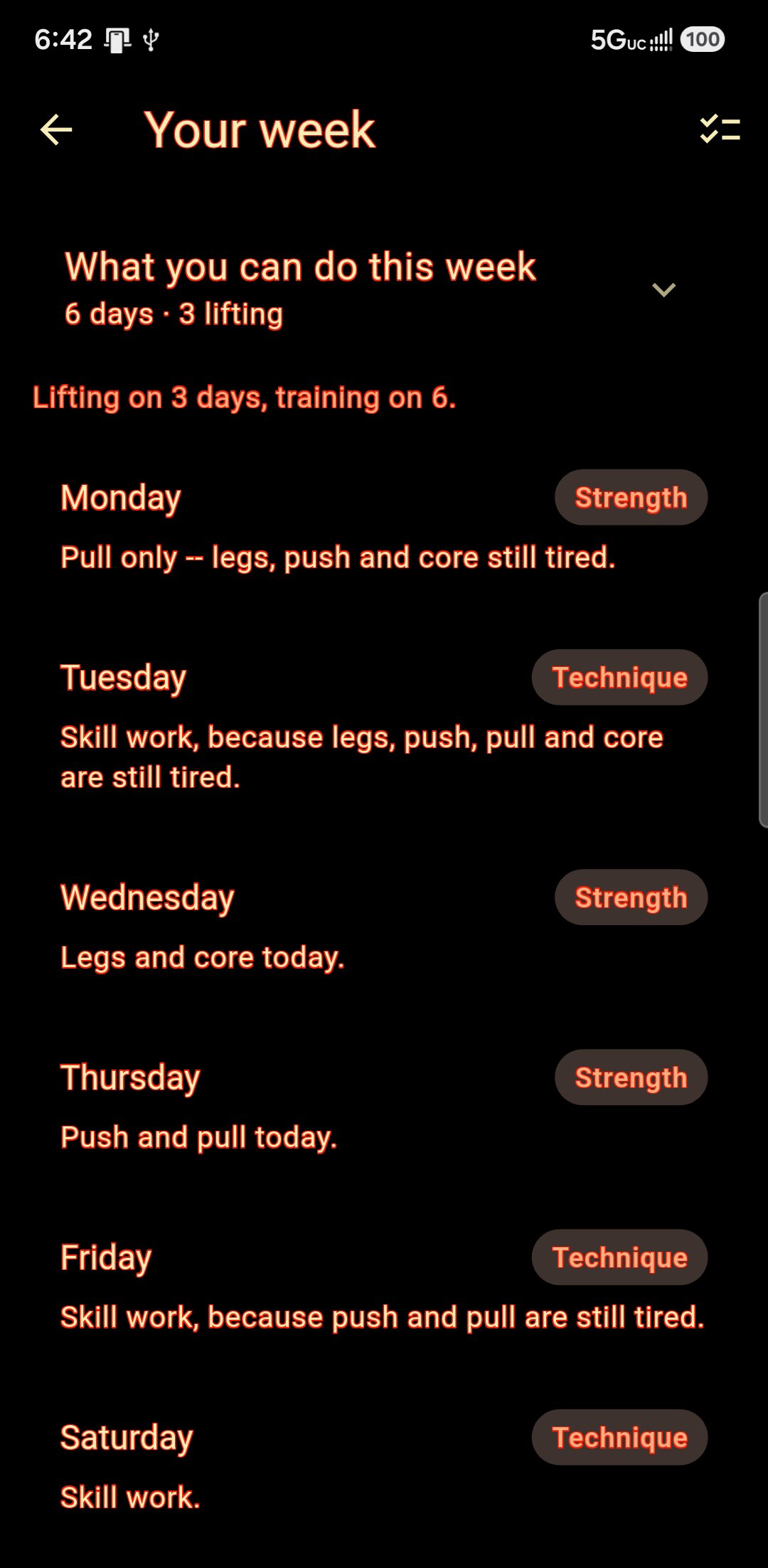
A week planned around the art, not against it.
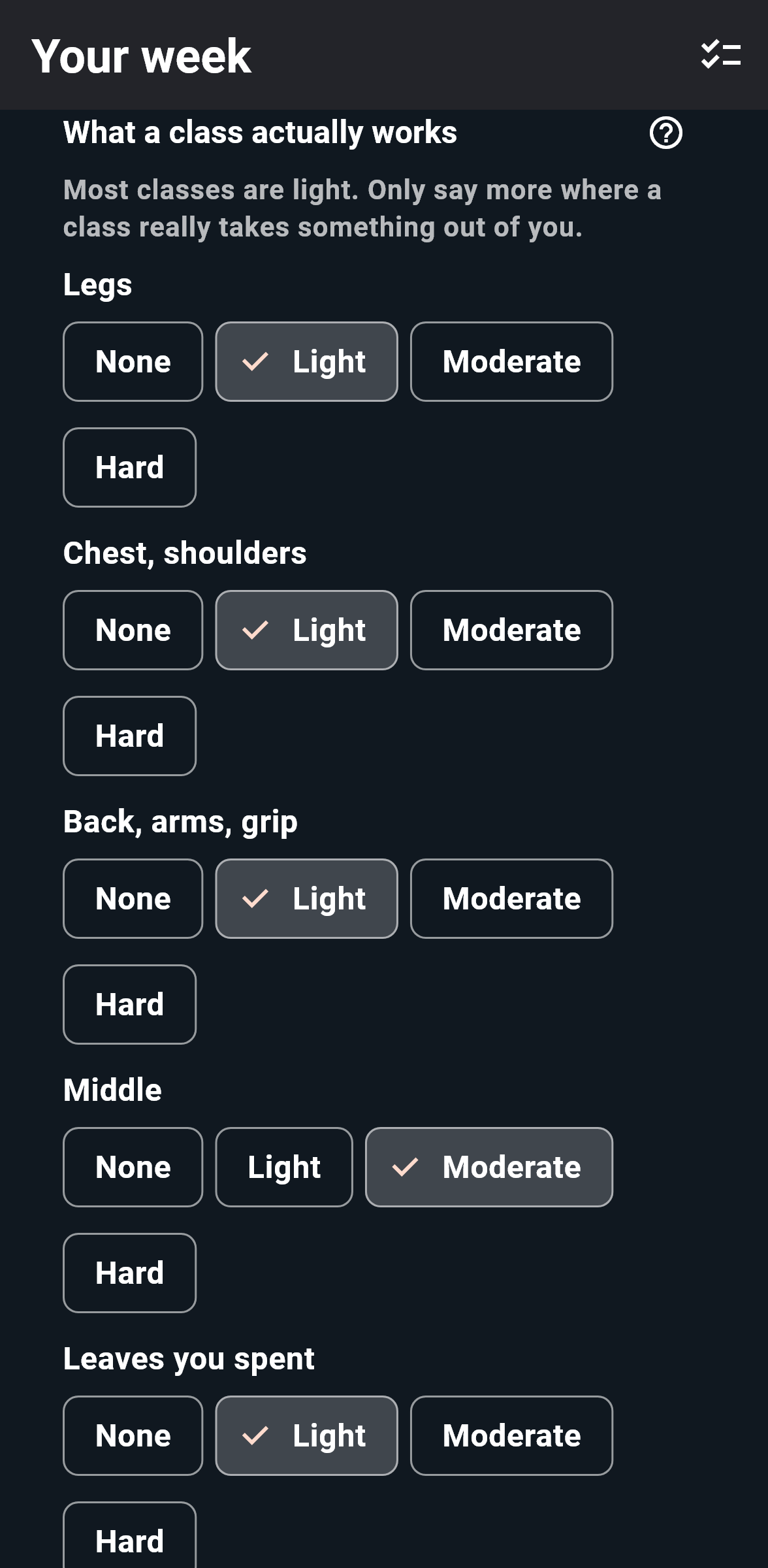
It reads the school's calendar and never writes to it, then decides what to do with the days in between. You tell it what a class at your school actually works — the one that opens with press-ups is not the one that opens with kicks — and it keeps the lifting off whatever that is. Every day says why it is what it is, so you can disagree with it in particular.
- Conditioning comes out of your own syllabus, not off a treadmill
- You choose how much room to leave: fit it all in, or stay careful
- A night that ran harder than usual can be marked, after class
- A grading clears the days in front of it, whatever else was planned
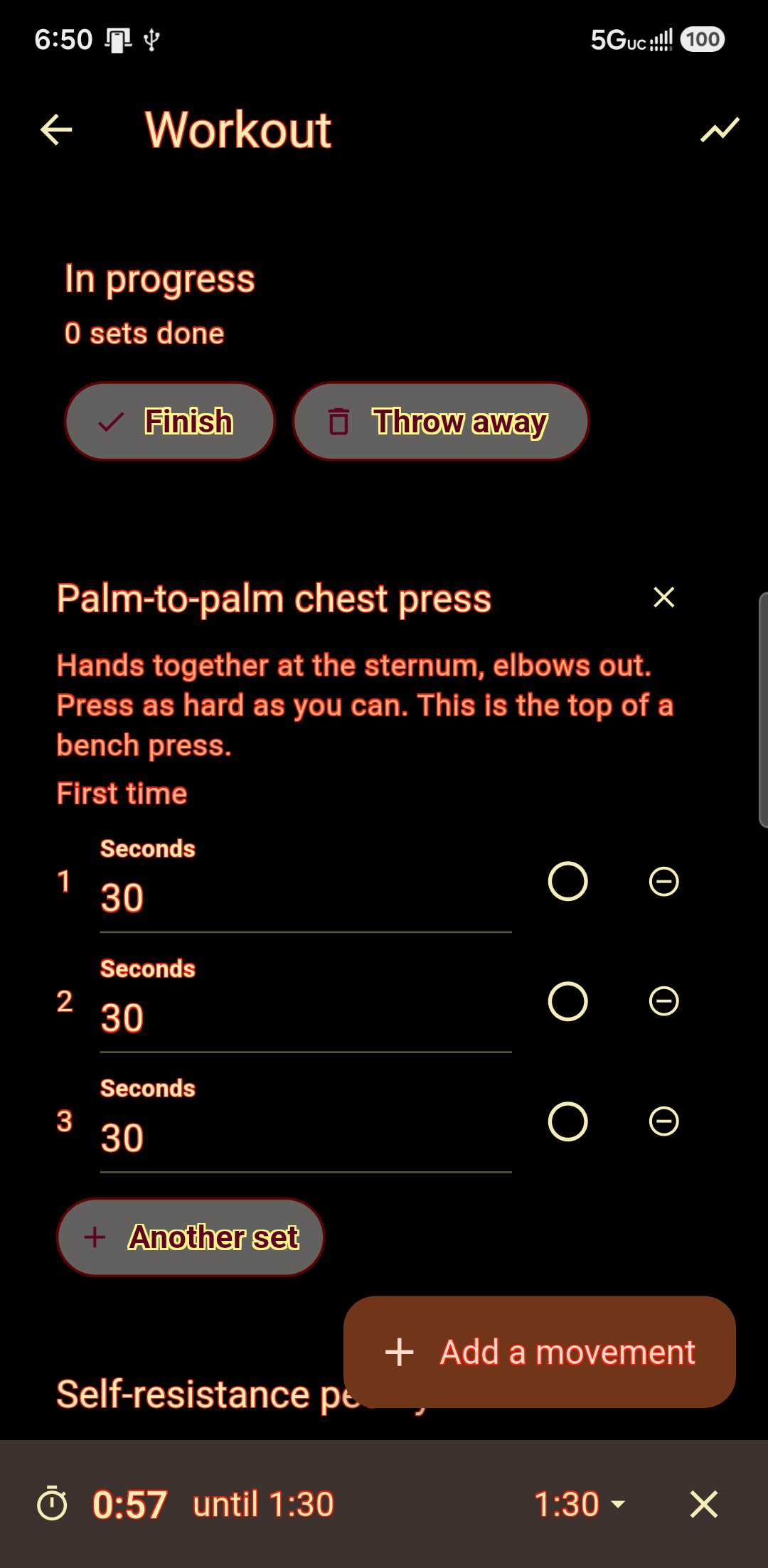
Forty-two exercises that need a doorway and a towel.
Isometric holds and old-fashioned dynamic tension, each with the cue for how to do it. It is the training that survives a hotel room, a shut gym, or a shoulder that has stopped enjoying barbells — and it leaves nobody too sore to drill on Thursday.
- Sessions built to cover push, pull, legs and core
- A hold and a self-resistance exercise for each
- Next session works a different way through the list
Coaches write, members do
A coach sets sets, reps and percentages of a lifter's max; it arrives as their session, resolved to real weights.
Your gym, not only a dojo
A school says what it teaches — martial arts, strength, yoga — and the app follows, so a gym gets a gym.
Somebody who trains in several places has one body.
The wing chun student who lifts on Thursdays. The BJJ player who does yoga. The instructor who is a student somewhere else. Every other platform hands them another account, another diary and another login — for each one, and none of their coaches ever finds out the others exist.
Your records are yours. The schools stay apart.
Belong to three schools and you still get one food diary, one workout log, one set of daily check-ins and one planner — because those are about your body, and your body does not change when you walk into a different hall. What belongs to a school stays under that school's name: its curriculum, its videos, its community, its message threads, its corrections, its dues.
- One login, however many schools — no second account to keep
- Your log, diary and check-ins are stored against you, not against a school
- Each school's threads and corrections stay that school's — a safeguarding line rather than a preference
- Leave a school and your own records are still yours
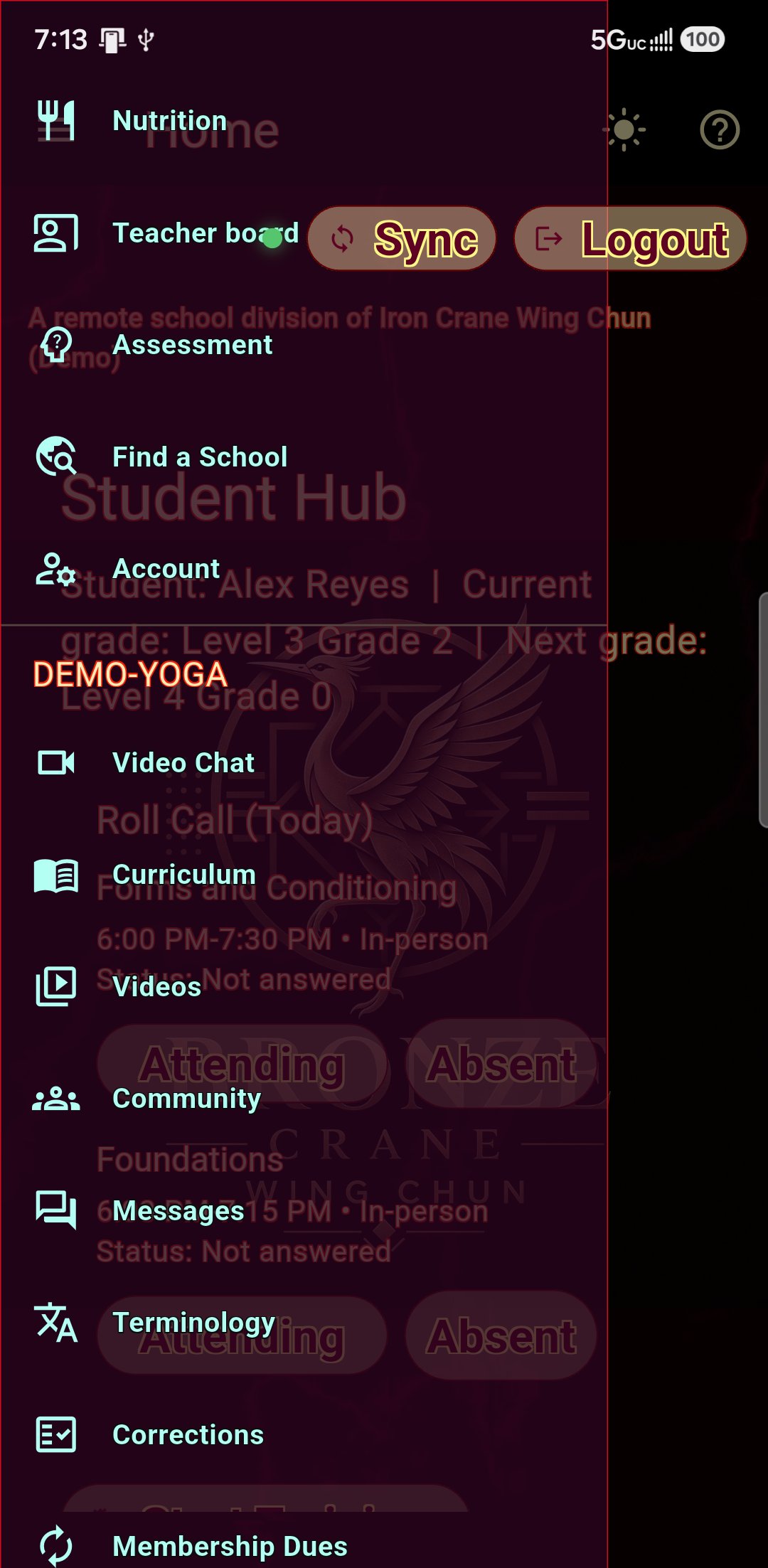
The one thing that crosses between them.
The teacher board is the student's, and every coach they train under can read and write on it. The strength coach says the squats are back to depth; the sifu says there is a grading on Friday and to keep the legs fresh. Neither had a way to tell the other before. The student sees all of it — the same screen both ways round, so nobody is told they see everything while a version exists that shows more.
- One board, however many coaches — not a board per school
- Every note says which school the voice is coming from
- The student publishes who may read it; no coach can add themselves
- Nothing else crosses: a coach at the gym cannot see the kung fu school's threads
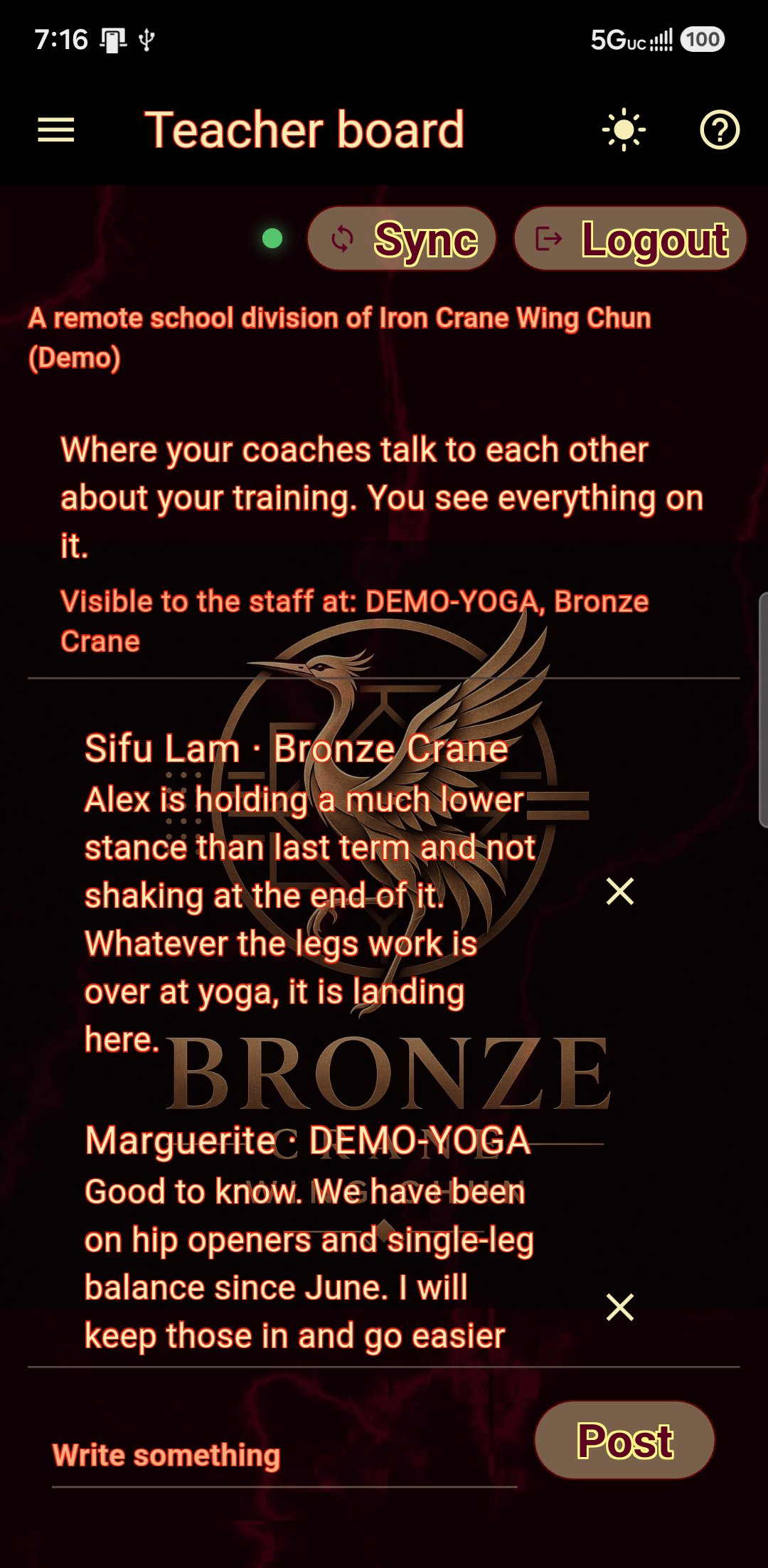
And your school is still your school.
None of this dilutes the branded app you paid for. A member who belongs to one school sees exactly what they always saw: one school, one name, your colours. The switcher only appears when there is something to switch to, and switching does not sign anybody out or ask them to remember a second password.
- One school, one membership: the menu reads as it always did
- Switching keeps the session — no second sign-in
- Each school's own look, applied when you are in it
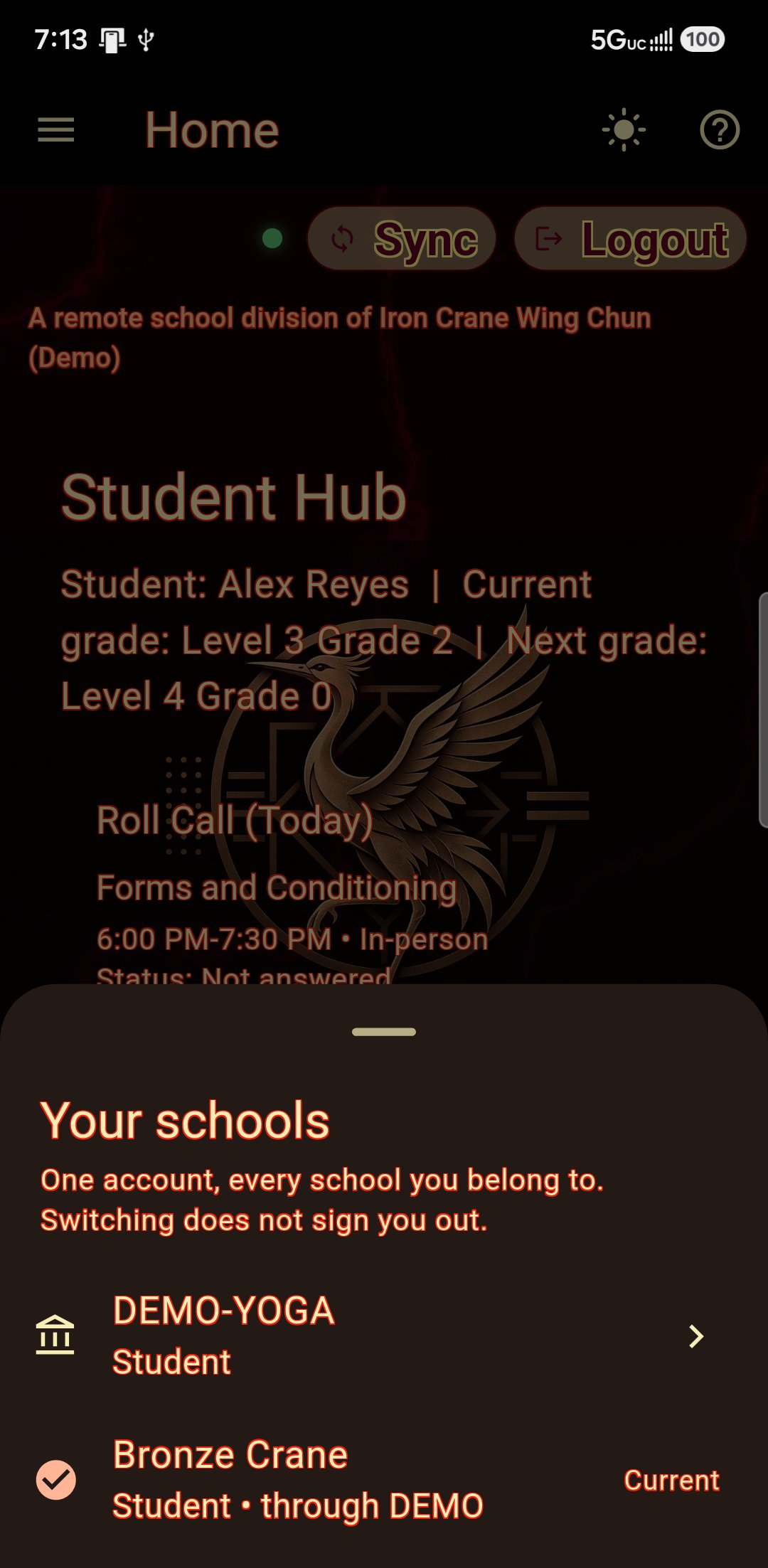
Every download is somebody looking for a school.
We will advertise the platform. Someone installs the student app because a friend trains, or because they searched for classes near them — and the first thing they see is Discovery: the schools taking students right now. Listed schools get put in front of them. Become a beta school to be among the schools listed on the Discovery page when the app goes public!

Our advertising, pointed at your door.
Most school software waits for you to bring it students. This one is built to bring students to you, and when the beta ends that is what we spend our advertising on: the public directory, not just the app. The free version of the student app points at the same directory, so somebody who downloads it without a school is one tap from a list of them. Your own words, and a link straight to your intro offer or your monthly plan — so somebody who has just decided to start training gets to you rather than to whoever ranks highest that week.
- Your school in front of every new member on the platform
- Your tagline and your pitch, written by you
- Straight through to your own intro class or monthly signup
- Every beta school is listed from the day the directory opens to the public, at no extra cost
Three community boards
Your school. Your association, shared with sister schools. And a global board across the whole platform — where your posts are read by members of every other school on it.
Approved schools, both ways
Schools you have approved appear to your students for visiting or remote training, and yours appears to theirs.
Divisions that run themselves
A student who moved away and now teaches four people in another country is a real thing that happens, and it is not a second location of yours. A division gets its own app, its own roster, its own register and its own board — and its own look, starting from yours and going wherever they take it.
Your name stays on it
Every page of a division's app carries a line naming your school, drawn by the app so it cannot be edited out — and their colours are theirs, but a new logo or photograph waits for you to approve it before their members see it.
Only the rows where the answers differ.
Every mark below was checked against the vendor’s own documentation in August 2026, and a capability we could not find published is marked absent rather than guessed at. They change their products often; check before you decide. Prices are theirs, not ours. Spark and Martialytics are here because a martial arts school shortlists them, not the gym platforms alone.
Attendance, billing, timetabling, the class register, a lead pipeline, marketing automation, waivers, staff permissions, a front-desk register and a member app: every product below does all of it, and so do we. So do rank and belt tracking, a curriculum with requirements, and a technique video library sorted by grade — the martial arts products handle all three, and rows for them were ticks across the page. What follows is only where the answers actually differ, and the first row is the one those three turn into once they are wired to each other.
| Capability | HossTrain | Mindbody | Zen Planner | Kicksite | PushPress | Gymdesk | Spark | Martialytics |
|---|---|---|---|---|---|---|---|---|
| Your curriculum decides what each student sees: their videos, their tests, their training week | ✓ | ✗ | ✗ | ✗ | ✗ | ✗ | ✗ | ✗ |
| Self-assessment scored against your own master’s demonstration, with your instructor’s notes added to the card | ✓ | ✗ | ✗ | ✗ | ✗ | ✗ | ✗ | ✗ |
| Your instructor can ask for an assessment, in their own time or live in class | ✓ | ✗ | ✗ | ✗ | ✗ | ✗ | ✗ | ✗ |
| Corrections written up after class and sent to the student | ✓ | ✗ | ✗ | ✗ | ✗ | ✗ | ✗ | progress notes |
| Branded app included rather than sold as an add-on | ✓ | add-on | add-on | web app | add-on | add-on | shared app | ✓ |
| Put your live timetable on your existing website | ✓ | ✓ | ✓ | ✗ | ✗ | ✓ | ✗ | ✗ |
| Live class delivery built in | ✓ | add-on | add-on | ✗ | add-on | ✗ | ✗ | ✗ |
| Live captions, each person reading the class in their own language | ✓ | paid Zoom extra | paid Zoom extra | ✗ | paid Zoom extra | ✗ | ✗ | ✗ |
| A division under your name, run by somebody who is not your staff | ✓ | multi-site | multi-site | ✗ | multi-site | multi-site | multi-site | multi-site |
| One login across schools that are nothing to do with each other | ✓ | marketplace | several accounts | ✗ | ✗ | ✗ | ✗ | ✗ |
| Association-wide community board | ✓ | ✗ | ✗ | ✗ | ✗ | ✗ | ✗ | ✗ |
| A coaching board shared across a student’s schools | ✓ | ✗ | ✗ | ✗ | ✗ | ✗ | ✗ | ✗ |
| Constitution-based meal planning that adjusts to what was actually eaten | ✓ | ✗ | ✗ | ✗ | ✗ | ✗ | ✗ | ✗ |
| Weigh-ins and a weekly progress report | ✓ | ✗ | ✗ | ✗ | ✗ | ✗ | ✗ | ✗ |
| A strength log with plate maths and one-rep-max suggestions | ✓ | ✗ | workout tracking | ✗ | workout builder | ✗ | ✗ | ✗ |
| A training week planned around class and grading | ✓ | ✗ | ✗ | ✗ | ✗ | ✗ | ✗ | ✗ |
| Isometric library for a hotel room or a shut gym | ✓ | ✗ | ✗ | ✗ | ✗ | ✗ | ✗ | ✗ |
| A daily check-in: how the day went, what was off, what they take | ✓ | ✗ | ✗ | ✗ | ✗ | ✗ | ✗ | ✗ |
| Patterns read back across food, supplements, sleep and how the days went | ✓ | ✗ | ✗ | ✗ | ✗ | ✗ | ✗ | ✗ |
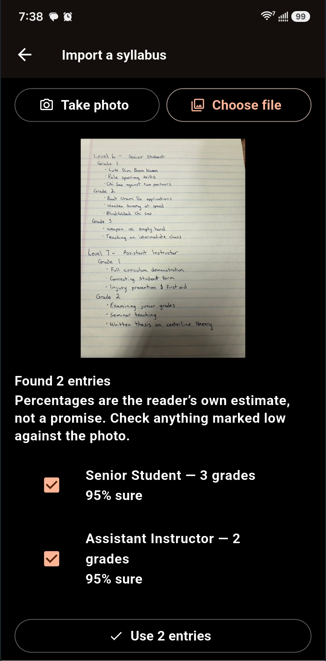
| Import records from a photograph | ✓ | ✗ | ✗ | ✗ | ✗ | ✗ | ✗ | ✗ |
Scroll the table sideways to see every column.
On the two live-class rows: where a product offers live classes at all it does so by integrating Zoom rather than building it in, which means a second account, a second subscription and a second bill, and attendance that has to be carried back by hand. Translated captions are a paid Zoom feature on top of that again. Ours are part of the class: the language is each student’s own choice on their own phone, and the attendance lands on their record without anybody typing it twice.
Spark and Martialytics publish less feature detail than the older products, so for those two columns an absent mark more often means “not published” than “confirmed missing”. Ask them, not us.
An evening of typing, or a photograph.
Getting a school into software is the part that kills the enthusiasm. Your records are on paper; somebody has to key them in. Unless they do not.
Photograph your roster. Check what it read. Done.
Point a camera at a handwritten roster, a printed curriculum or a timetable on the wall. It comes back as a draft with the photo beside it, entry by entry, each marked with how sure the reader was. Nothing is saved until you accept it — because handwriting gets misread confidently, and reviewing it is the feature, not a formality.
- Rosters, syllabi and timetables
- Every entry ticked or rejected individually
- Imported records are identical to typed ones afterwards
Your school, not our template.
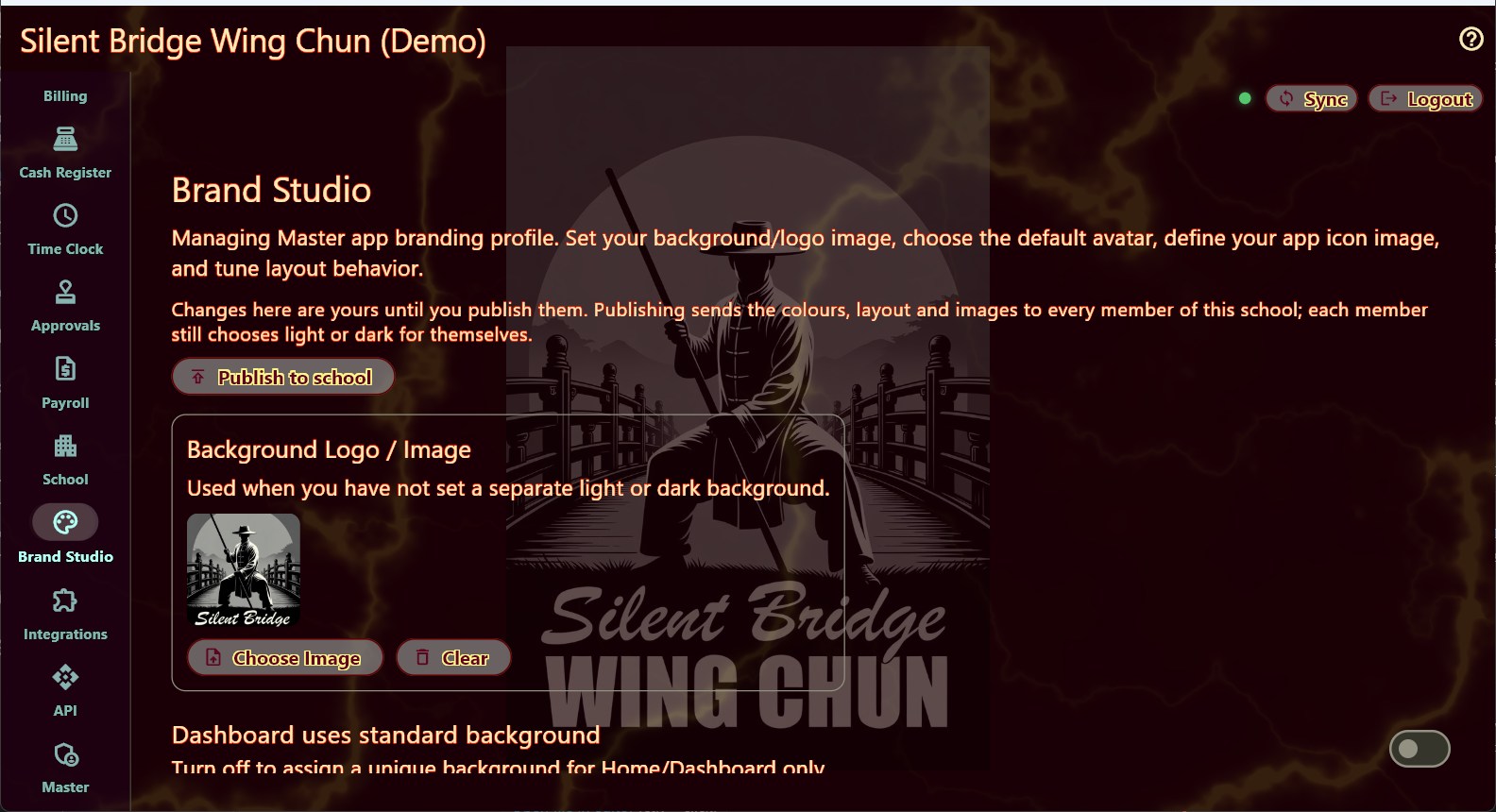
Your logo, your colors, your name — stored with the school, so it follows every member onto every device rather than living on the one phone that uploaded it. Your curriculum, your ranks, your class times.
- Applied to both apps: the one your staff run the school from, and the one your students carry
- A light look and a dark one, each set separately
- Typeface, size and weight for body, buttons and menu
- Your own level and grade names, not ours
- Remote locations run under the parent school
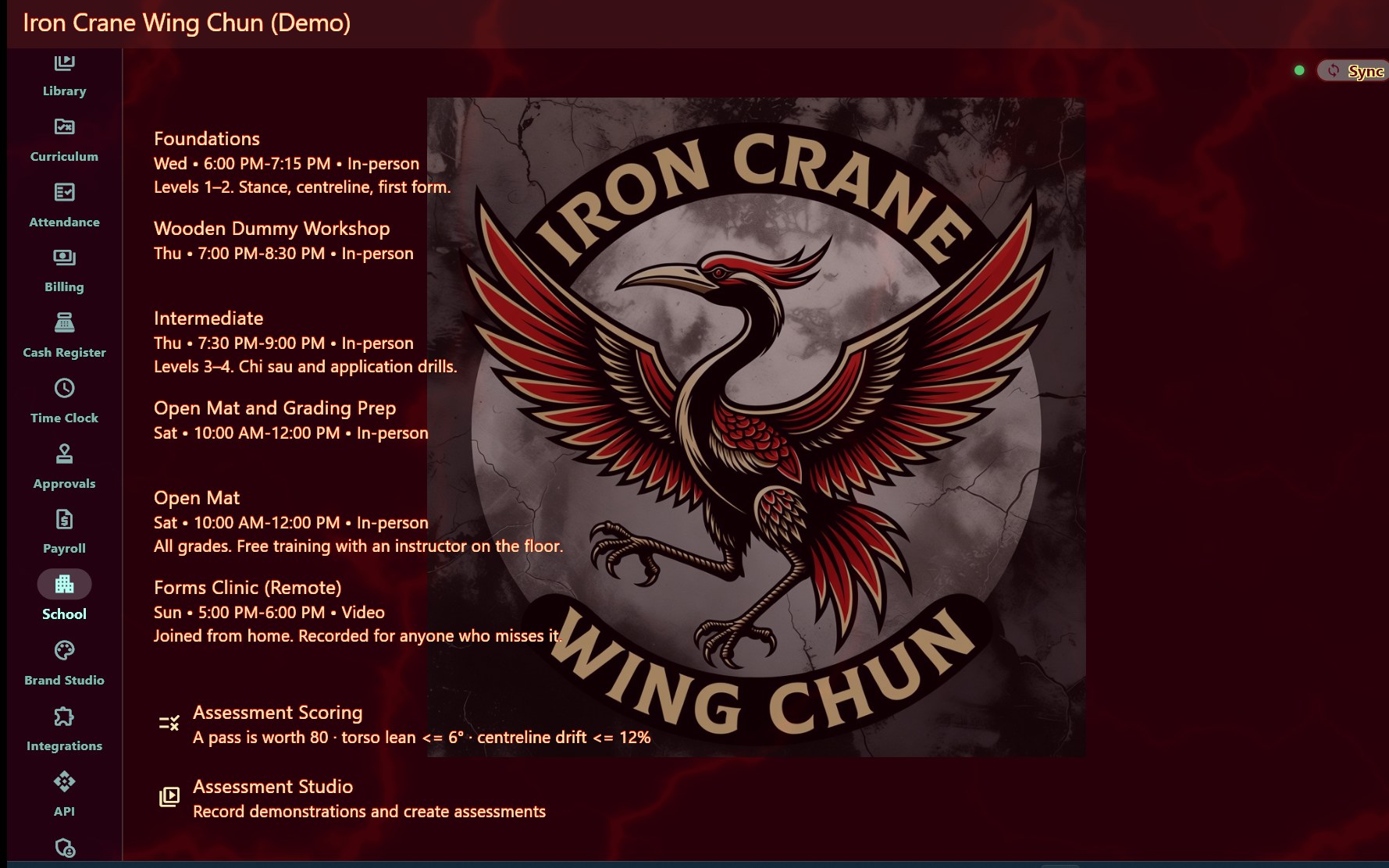
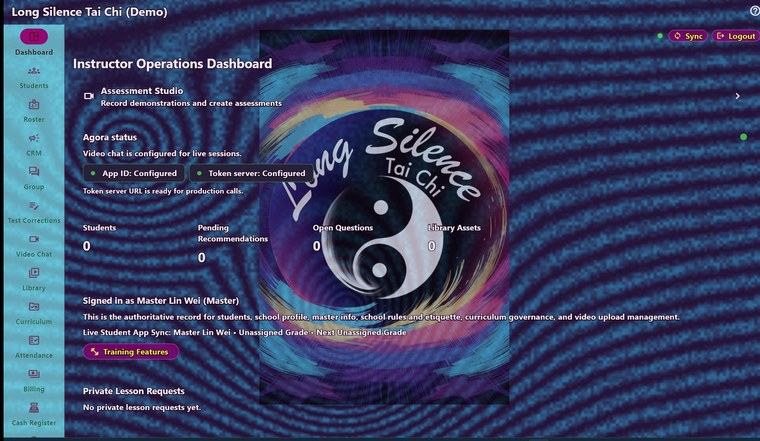
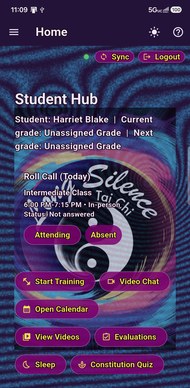
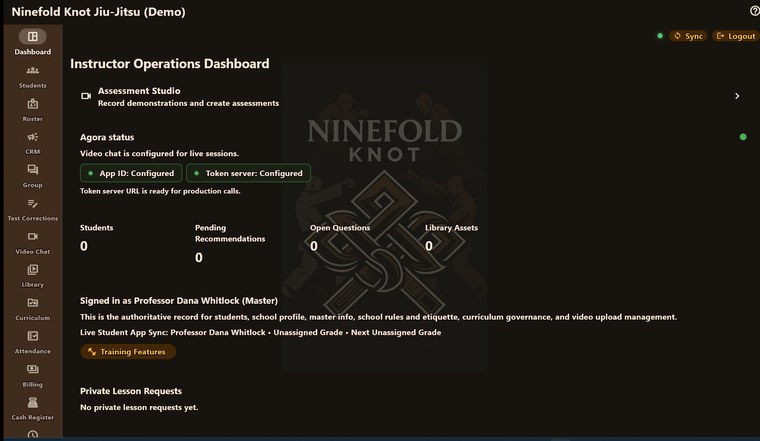
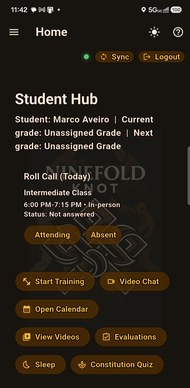
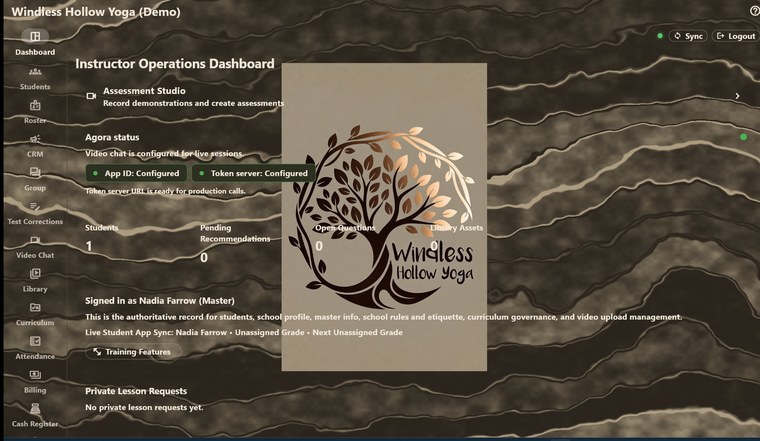
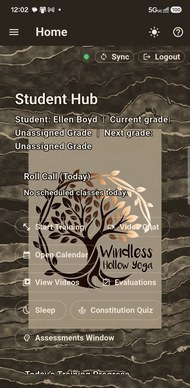
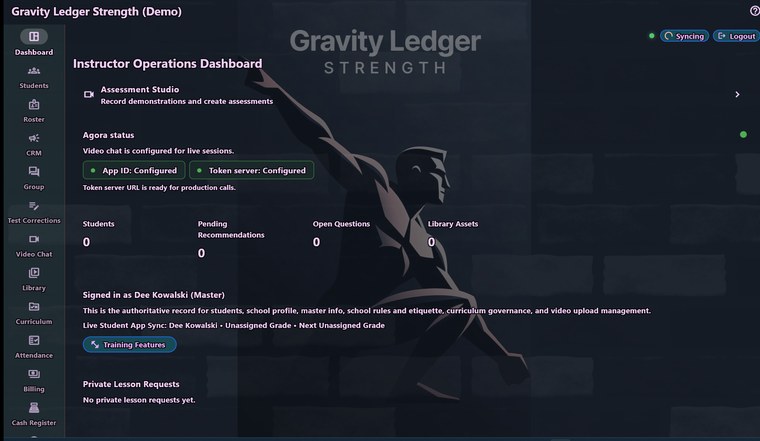
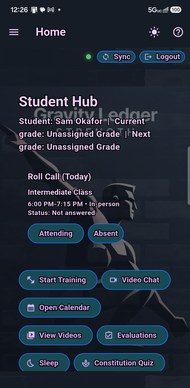
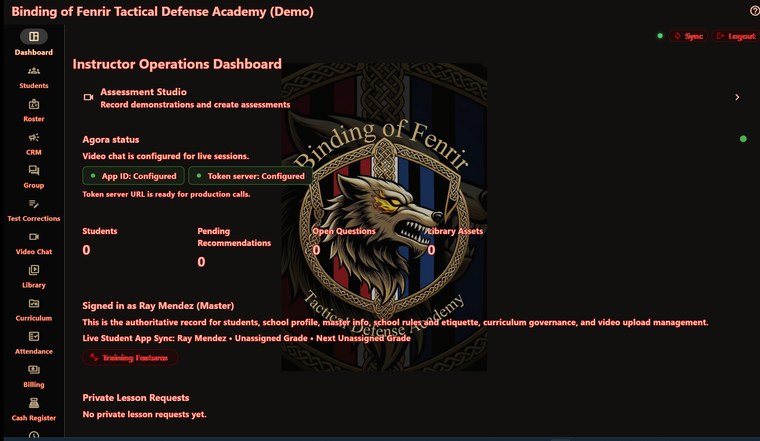
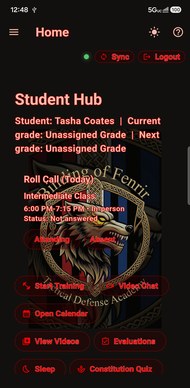
One screen, five schools. None of these is a theme we offered — it is each school's own mark and palette, carried onto every device their members sign in from.
And what it is made of.
Ten materials — slate, marble, granite, concrete, brick, wood, bamboo, tatami, linen and raked sand — drawn by the app rather than photographed, so they stay sharp on a phone and on a desk monitor and add nothing to what a member downloads.
- A material each for the page, the menu and the buttons
- Two colours on every one: the surface, and the veins and grain drawn on it
- A strength dial, so it stays a wall rather than a pattern
- Your logo sized to taste behind it

Stone takes your own colour; wood, bamboo and tatami come in the colour they actually are. A school wanting bamboo behind the page, oak down the menu and marble on the buttons is describing a room — and can build it.
A branch is your second building. A division is somebody else’s room.
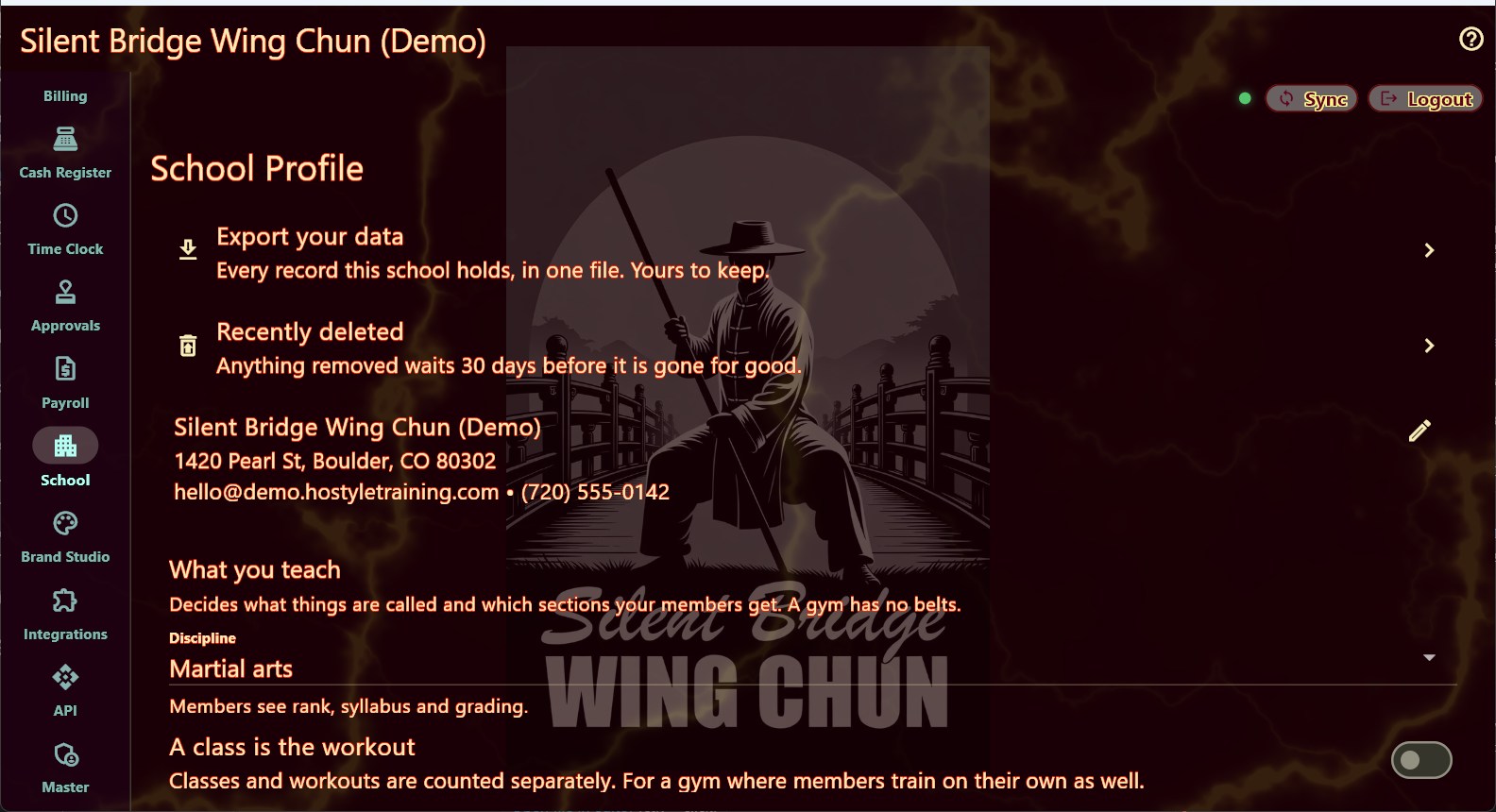
Most software has the first and calls it multi-site. A branch is another hall you run: your staff, your roster, your students, under your name. A division — a remote school, carrying yours on every page — is the senior student who moved away and now teaches four people in another country — you are never going to stand in that room and they are not on your payroll. They ask for it from inside their own app, you grant it, and they get a real school: their own roster, their own register, their own board, your curriculum, and a look that starts as yours and goes wherever they take it. Running it does not make them staff at your school, which is a permissions line rather than a courtesy.
- Open a branch under your own name, staffed by your own people
- Grant a division to a student who asks for one — and take it back if it stops working
- Their organiser runs their location without gaining any standing at yours
- Every page of theirs carries a line naming your school, drawn by the app so it cannot be edited out
Their logo goes out under your name, so you see it first.
A division picks its own colours the way anybody does. A picture is different: a logo or a background goes out under the parent school's stamp, and the parent stays answerable for it. So those come to you first, with the picture itself in front of you rather than a description of it, and their members keep the one they already have until you decide.
- Pictures only — colours and type are theirs, not a queue for you
- Nothing changes for their members while it waits
- Turn one down with a reason, in your own words
- It sits on the front page too, so it is not missed for weeks

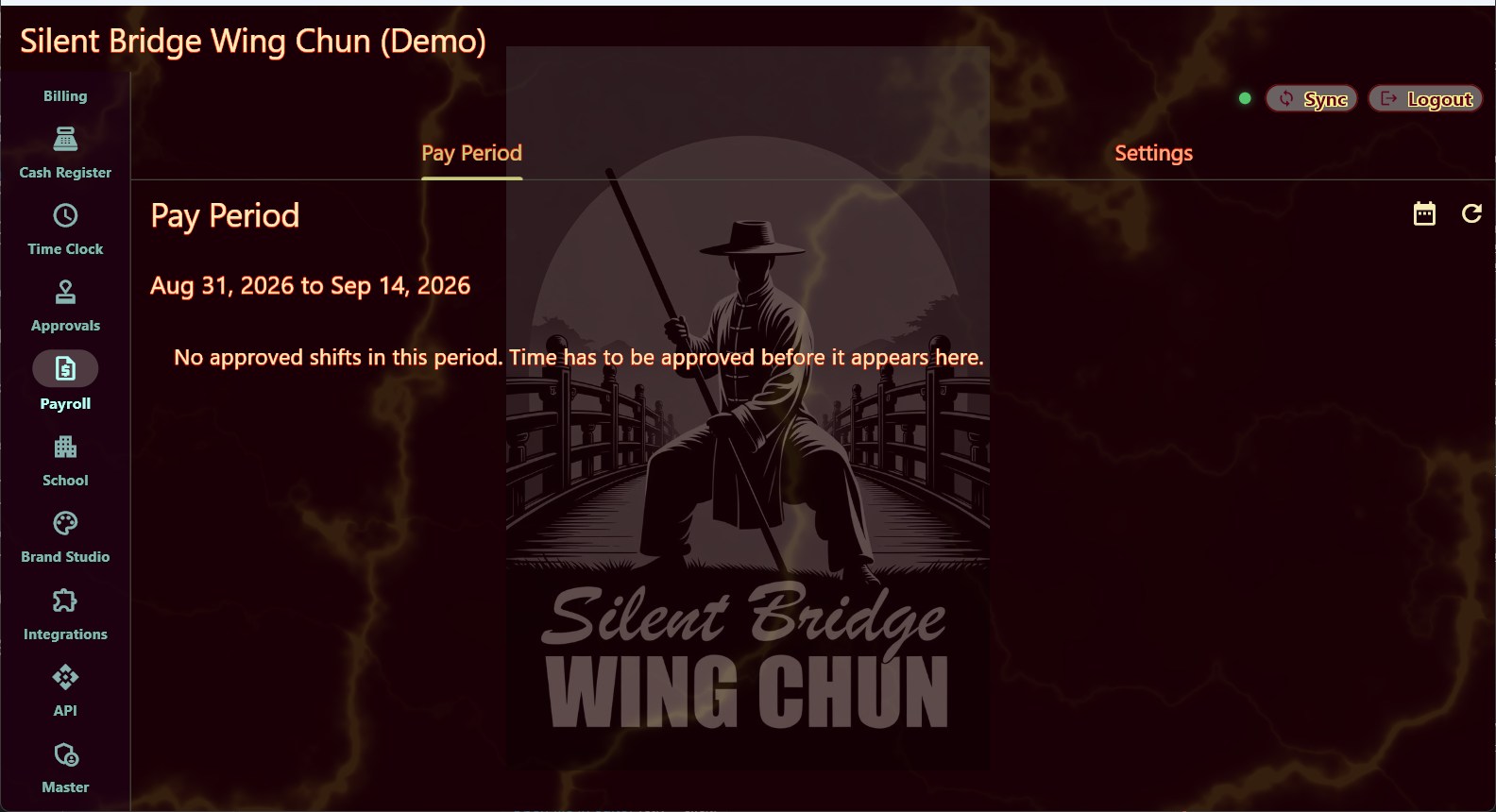
A website that cannot go out of date.
Most school websites are a year behind the timetable, because updating them means finding whoever built it. Build one here and it is right by construction — or keep the site you already have and drop your live timetable into it. Both work; you do not have to choose us over something you already like.

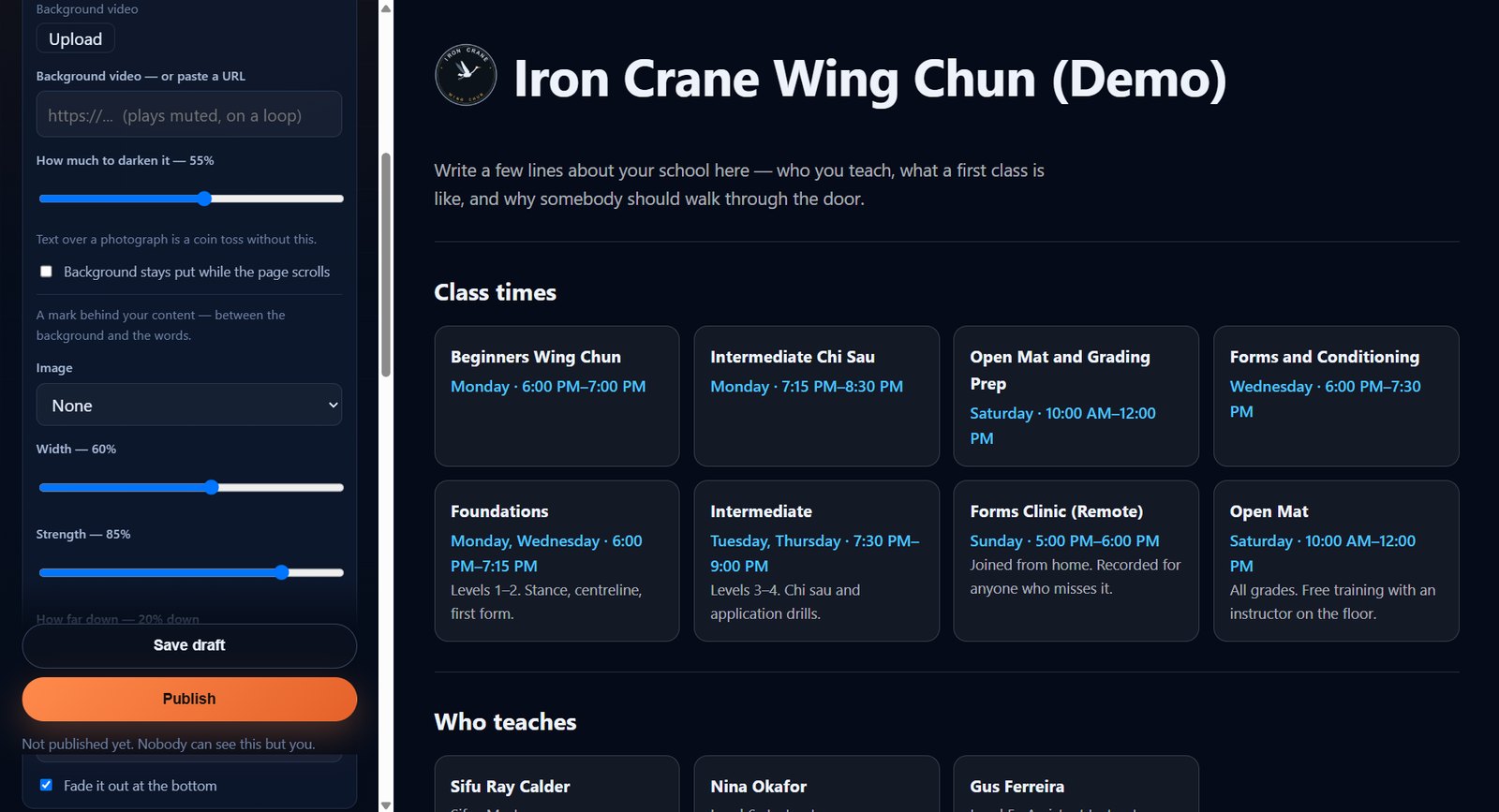
Build it yourself, in your browser.
Drag sections into the order you want. Write your own words, upload your own photos, set your own colours, put your logo behind the page. Add as many pages as you need. See it change as you type, and nothing is public until you press publish.
- Class times, instructors and grades come straight from the app
- Move a class on Tuesday and the website moved on Tuesday
- Your reviews, your photos, your video behind the page
- Draft and publish, so a half-finished page never goes live
- Take it offline whenever you like — the draft is kept
Already have a website? Keep it.
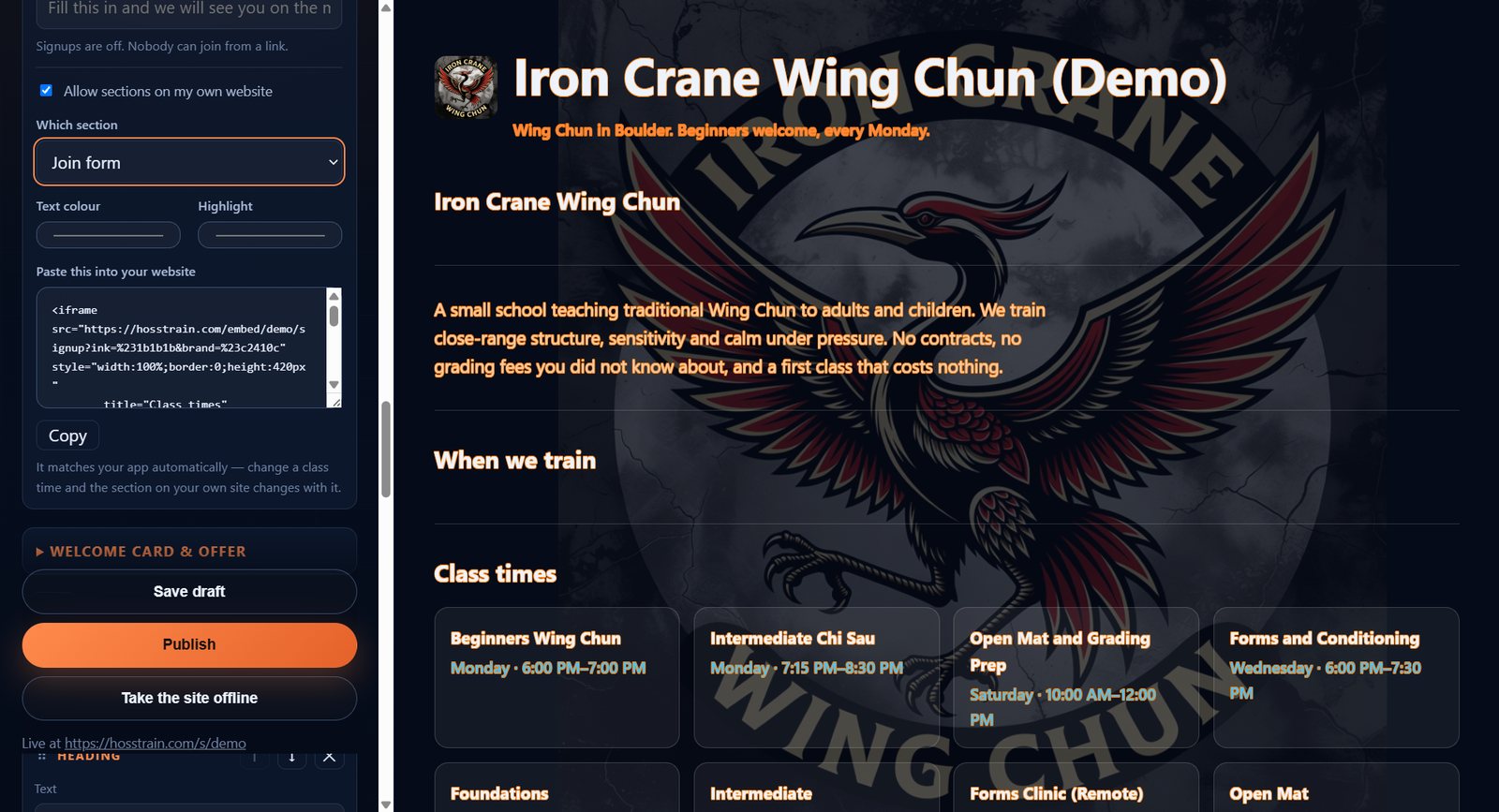
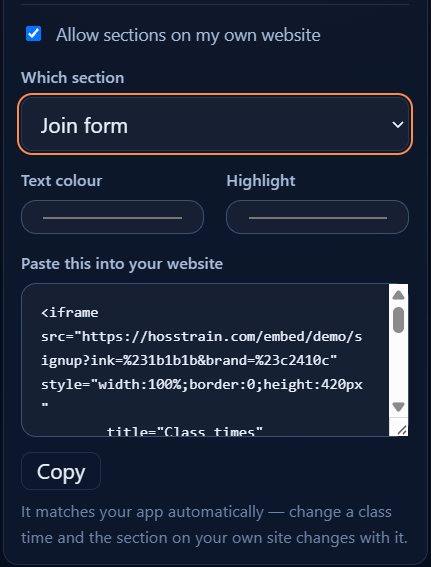
The part you cannot get anywhere else is a class list that is right because it is the same record the app reads. That does not have to live on a site we host. Copy one line into the site you already have — Wix, Squarespace, WordPress, hand-written, it does not matter — and your timetable appears on it, current for ever.
- Class times, instructors, grades, reviews or a join form
- Matches your own colours, sits on your own background
- Resizes itself, so adding a class never crops the list
- It cannot break your page — it does not touch it
- Or take signups with no website from us at all, on a page we host for you
The timetable is the timetable
Class times on the site are the same records your students see in the app. There is no second copy to update, and no way for the two to disagree.
Private classes stay private
An invite-only class never appears on the public site, whatever else is on the page. Instructors are listed by name and rank — never their email.
Nothing is public by accident
A school's site does not exist until somebody publishes it, and one press takes it down again.
The enquiries that have not become students yet.
- Leads with a pipeline, owned by whoever is following them up
- Campaigns recorded — what you sent, to whom, when
- Automation rules: trial booked, reminder in a day, no reply, follow up
- Analytics over any range: enrolment rate, messaging volume, cost
The lead details are visible to your staff and to nobody outside the school.
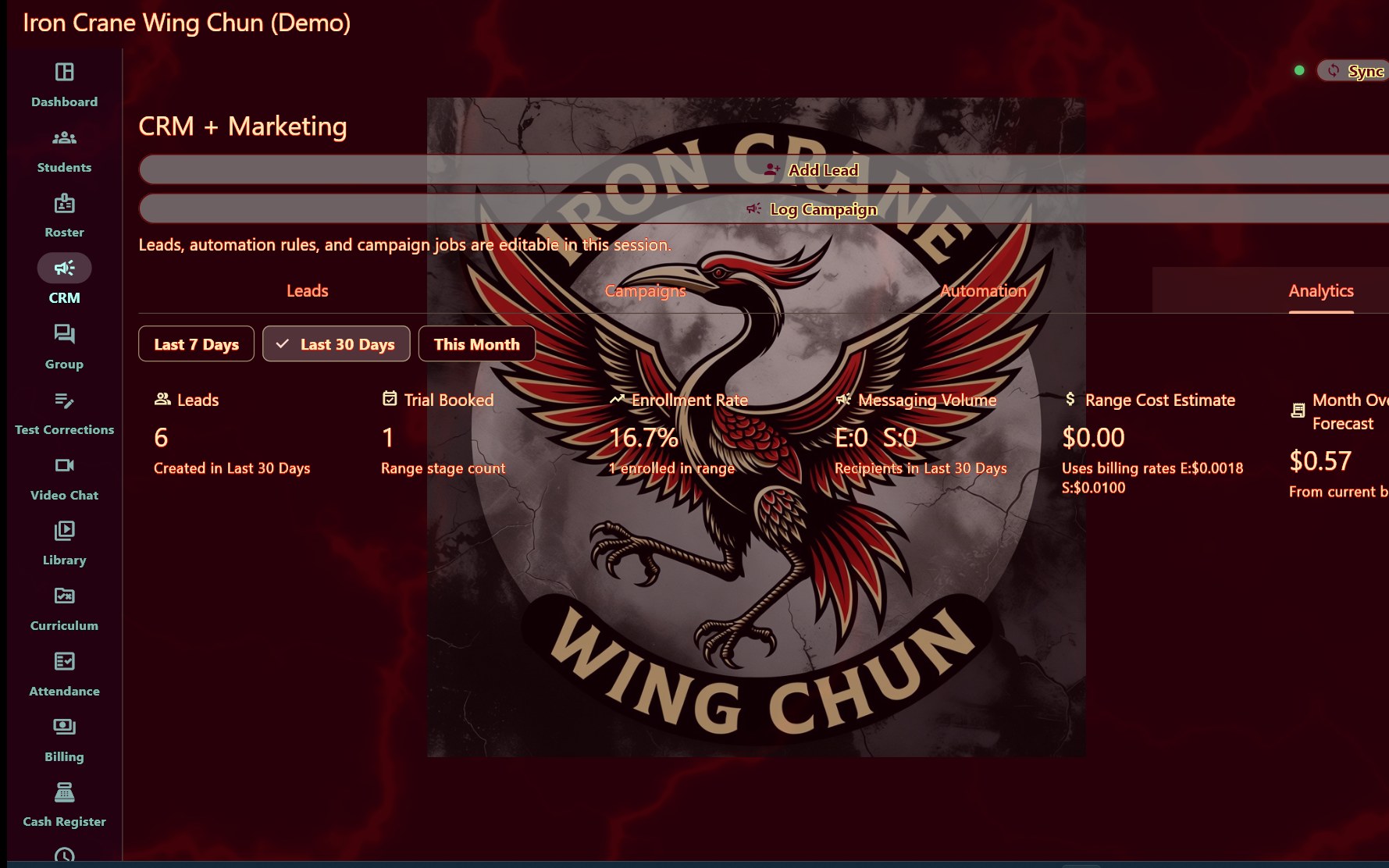
Your website feeds the pipeline
A welcome card and a leaving offer, both collecting an email straight into these leads. Generate a code to give away with it. The same person filling in both is one lead, not two.
They sign up before they turn up
A join form creates their account and puts them on your roster to check. They install the app, sign in, and pay — you approve their details, not their existence.
Dues actually gate the app
Unpaid means training, curriculum and the library are closed until it is sorted, with a grace period you set. Paying opens it again the moment the payment clears.
Dues, plans, staff and the front desk.
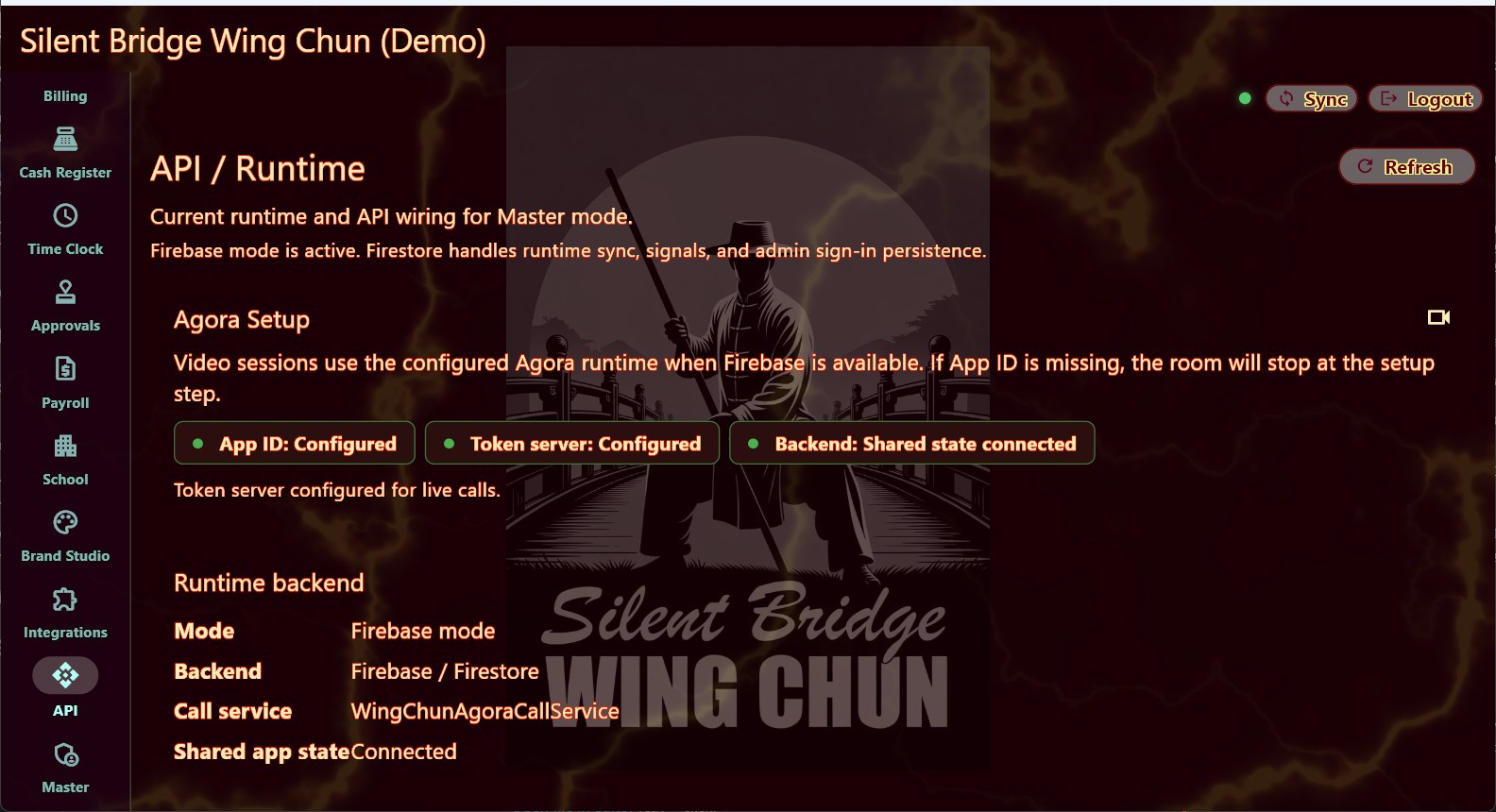
Payments go from your students to your own merchant account. They do not pass through us on the way.

Plans and dues
What each student pays and how often, charged automatically.
Your own processor
Stripe or Square, connected to your account, paying you directly.
Front-desk register
Take a payment for a uniform or a seminar at the counter.
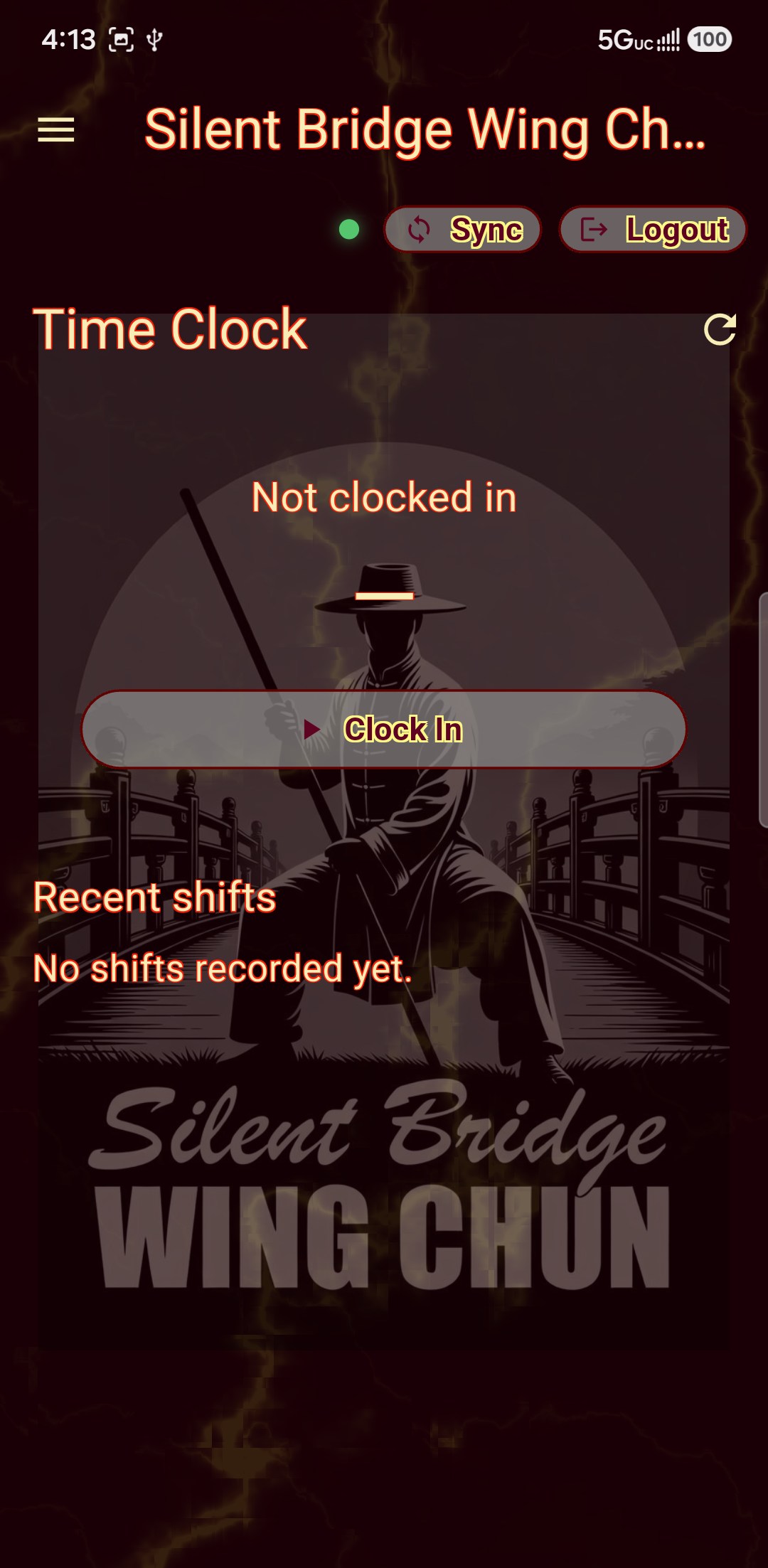
Staff time clock
Instructors clock in and out; hours land where payroll can see them.
Shift approvals
Review what was claimed before it becomes a payment.
Payroll and commissions
What each instructor earned, from the hours and the sales they made.
Families and sibling discounts
Group a household and the second and third child come off a set amount, automatically, every month. Most schools run this discount on paper and in their heads; here it is on the record and it charges itself.
A grace period on a failed payment
A declined card is usually an expired card. You choose how long a student keeps training while it is sorted, because locking somebody out over a bank glitch costs more than the dues did.
Spending limits, on everything metered
Set a ceiling on live-class credits, recording, captions, translation, email, SMS, storage and document import — each line separately, each saying what happens when it is reached. Nothing already running is ever cut off mid-class, and account messages always send. A usage-based product that will not let you cap it is asking you to trust a number you cannot see.
Run the whole thing for nothing. It works, and it is work.
Both apps have a free version — yours as well as your students’. Not a trial that expires and not a crippled demo: a school can run its roster, its register, its curriculum and its gradings without paying us a penny, indefinitely. What it cannot do is use anything that costs us money to run.
Both apps, not just theirs
The school app runs free too. Your roster, your register, your curriculum, your grades, your students’ corrections — all of it on the device in front of you. A school with twenty students and no budget can run on this and never speak to us.
Nothing reaches our servers
No live classes, no hosted video, no cloud backup, no messaging, no push notifications, no directory listing. Not held back as a lever: those are precisely the things that cost money every time somebody uses them, and free means we are not paying for them on your behalf.
Records move in person
Stand next to each other. A profile, a rank or a practice log moves by QR code off one screen into the other camera. A technique video or an assessment capture moves over Bluetooth and Wi-Fi Direct, phone to phone, with no network in between — the same handset-to-handset transport the two-camera capture already uses.
Why most schools will stop
Every phone carries its own copy of the library, so device storage fills up. A student who missed Tuesday gets nothing until they turn up on Thursday and someone stands next to them. A new member starts empty. Nothing reaches the student who moved away, because there is no away. It genuinely works. It is also genuinely a chore, and the subscription exists to end the chore.
This is how a student finds you, too: somebody logging their own training in the free app is one tap from the public directory, and arrives at your door with their history already in their hand. Planned for the public release rather than shipped today — during the beta the apps are for member schools only.
The answer to "what happens to our records" should be a demonstration, not a promise.
Every school asks this and every company answers it vaguely. Here is the specific version, and you can prove all of it on the day you sign up rather than on the day you leave.
Export the lot, whenever
Every record your school holds, in one file, with a link for every video. From inside the app, in one press, as often as you like. Not a request, and not a queue.
Your card details are not in it
Payment credentials are deliberately left out. An export sitting in somebody's downloads folder should not be able to take money.
Thirty days to change your mind
Anything deleted goes to a bin and can be put back exactly where it was. Emptying it is manager and above, because after that the bin held the only copy.
Cancelling is not deletion
Your records are kept for thirty days after you cancel, and we tell you before anything goes. Leaving in a hurry does not cost you your grading history.
A student leaving is not a hole in your records
Somebody who deletes their account is anonymised. Your gradings, attendance and class history stay whole, because they are your records too.
No cut of your dues, ever
Students pay your Stripe or Square account directly. We are not in the middle of it, so there is nothing for us to hold on to if you go.
Nothing here needs an email to support, and none of it stops working because you cancelled.
The student app is the reason they stay.
Ranks, corrections, technique videos, live classes, a constitution quiz and a meal plan that adjusts each week. See the whole thing on its own page.
Currently beta testing. If you have a code, click below to get started.
What schools ask first.
Do we have to move everything at once?
No. The roster and curriculum are worth doing first because everything else reads them. Billing, live classes, CRM and payroll can stay switched off until you want them.
Where does the money go?
From your students to your own Stripe or Square account. It does not pass through us on the way.
What happens to our data if we leave?
It is yours. Export it and go — every record and a link for every video, in one file, from inside the app, whenever you like. Your records are kept for thirty days after you cancel, and a student who deletes their account is anonymised rather than your grading history being torn up. The whole answer is above.
Do our students need to pay?
No. The student app comes with your school's subscription.
Can a student train at more than one school?
Yes, at as many as they like, on one login, switching between them from the menu. Each school keeps its own branding, rank and records.
Do you provide the waiver and the policies?
No, and that is deliberate. A waiver holds up because it was written around your insurance policy and your state’s law, by people who are accountable for getting it right. Your insurer is usually the first call — the form and the policy behind it have to agree, or the one you are relying on is not the one that pays. Your association may have a member-school version, and an attorney can write one that fits how you actually train, gradings and sparring included. Software that hands every school the same release is selling the feeling of being covered rather than the cover. We give you somewhere to keep the real one and a way to collect signatures on it: photograph or upload what you already use, or type it in.
Is the nutrition side medical advice?
No, and the app says so plainly the first time a student uses it. The planning side is educational guidance built on traditional five-element practice. The part that reads a diary back — whether a supplement or a food lines up with feeling rough — is arithmetic on days counted, and it is labelled a suggestion tool rather than a diagnosis on the screen it appears on. Both tell a student to see a professional for anything that matters.